
FAQ pages are an easy SEO win. I’m not even going to pretend they’re not.
They’re quick to add to your content, they don’t require a full new article, and when you do them right they can noticeably improve visibility in search results.
The reason I like FAQ pages is simple: they let me cover extra relevant keywords and common questions without stuffing the main content.
They also give Google Search clean, direct answers it can pull into People Also Ask, and they work really well for AI Overviews because the format is already built for extraction.
In this article, I’ll show you how I approach FAQ page SEO, how I choose the questions, when to use an FAQ section vs a dedicated FAQ page, and how schema fits into the whole thing.

Link building cheat sheet
What Are FAQ Sections and How Do They Improve SEO?
A FAQ section is just a block of questions and answers you add to a page, usually near the bottom.
It’s a small set of questions that are directly related to the topic of the page you’re already trying to rank.
From a search engine optimization perspective, I like FAQ sections for one reason: they let me answer more search intent without turning the main article into a bloated mess.
Instead of forcing every extra keyword into the body, I can keep the content clean, then use the FAQ block to cover the “quick questions” people still care about. It’s a best practice that improves both user experience and technical SEO.
FAQs Help You Cover More Keywords
This is the biggest benefit for your SEO strategy.
When I write a page targeting one main keyword, there are always a bunch of related searches that don’t deserve their own full section, but still matter for content marketing.
Stuff like:
- “Does this work for beginners?”
- “Is it worth it?”
- “How long does it take?”
- “What’s the difference between X and Y?”
Those common questions are often long-tai, relevant keywords on their own.
By answering them in FAQ content, I can naturally include those extra phrases without keyword stuffing. And because the answers are short and direct, search engines like Google have an easier time understanding what the page covers and extracting structured data for search results.
FAQs Are Perfect for AI Overviews & Rich Results
AI Overviews and rich results (featured snippets) love content that’s easy to extract.
Short questions. Clear answers. No fluff.
That’s literally what an FAQ section is.
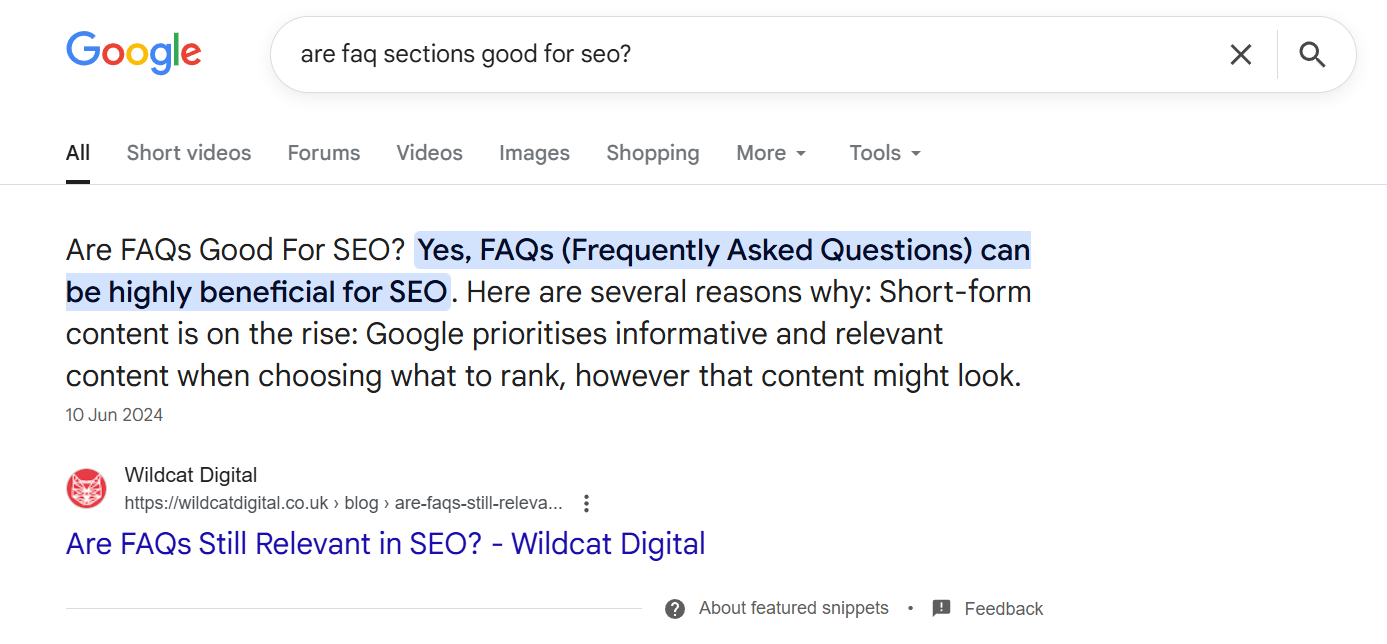
When I’m trying to make a page more “AI-friendly” and optimized for voice search, I don’t try to rewrite the entire article for it. I just make sure the FAQ answers are tight, specific, and written like someone is trying to get a straight answer.
If your FAQ responses are clean and accurate, they have a much better chance of being reused in AI summaries, pulled into quick-answer formats as an FAQ rich result, or referenced alongside other sources.
FAQ Sections vs FAQ Pages
This is where people mix things up.
A FAQ section is something I add to a blog post or landing page to support the main topic. It’s there to catch extra long-tail keywords and answer common follow-up questions without derailing the article.
It’s SEO-first, in a good way.
A few targeted questions at the bottom of the page can help you rank for more variations, show up for more “People Also Ask” type queries, and make the page feel more complete.
A dedicated FAQ page, on the other hand, is usually about the business itself and serves a different purpose in your content strategy.
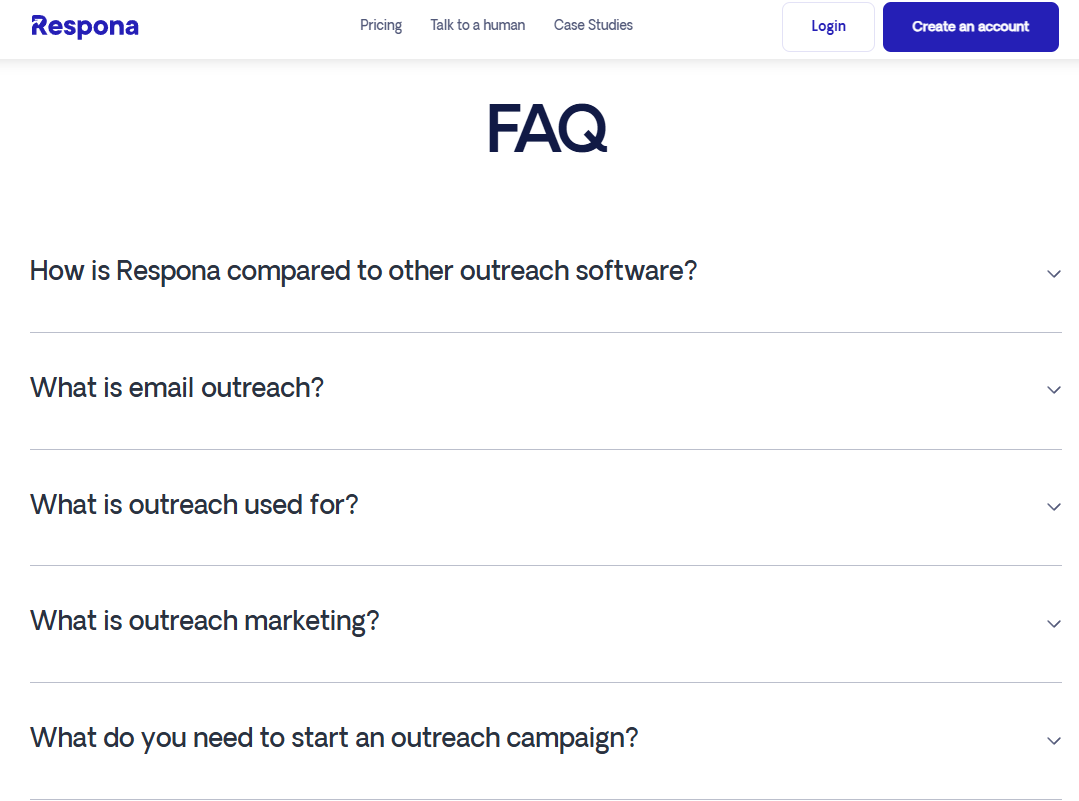
That’s where I put questions that customers genuinely need answered before they sign up, book a call, or buy. Stuff like:
- pricing and billing
- turnaround times
- what’s included
- who it’s for (and who it’s not for)
- how the process works
It’s less about ranking for a bunch of keyword variations and more about removing friction.
Which Questions Should You Add to FAQs?
The best FAQ questions aren’t the ones that sound nice.
They’re the ones people are already asking in search engines.
When I build FAQ content, I’m not trying to “educate” the reader with random definitions. I’m trying to answer the exact follow-up questions that show up in search, slow people down, or stop them from taking action.
Here are the three places I pull questions from for keyword research.
People Also Ask
This is the easiest one.
I Google the main keyword and scroll straight to the People Also Ask box. Those questions are basically Google telling you:
“People searching this also want answers to this.”
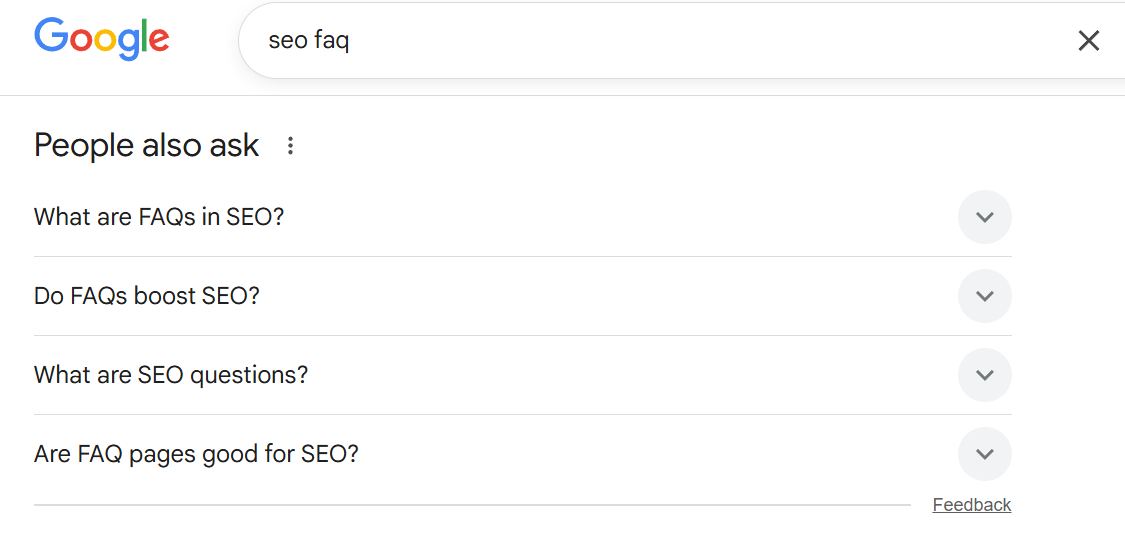
I’ll grab the ones that are directly relevant to the page and rewrite them slightly if needed, but I keep the intent the same.
If the question shows up there, it’s worth answering in your FAQ page content.
Ahrefs
Ahrefs is where I go when I want more than just a handful of questions for my SEO strategy.
I’ll plug the keyword into Keywords Explorer and look for:
- question-style keywords
long-tail variations - “also rank for” type queries
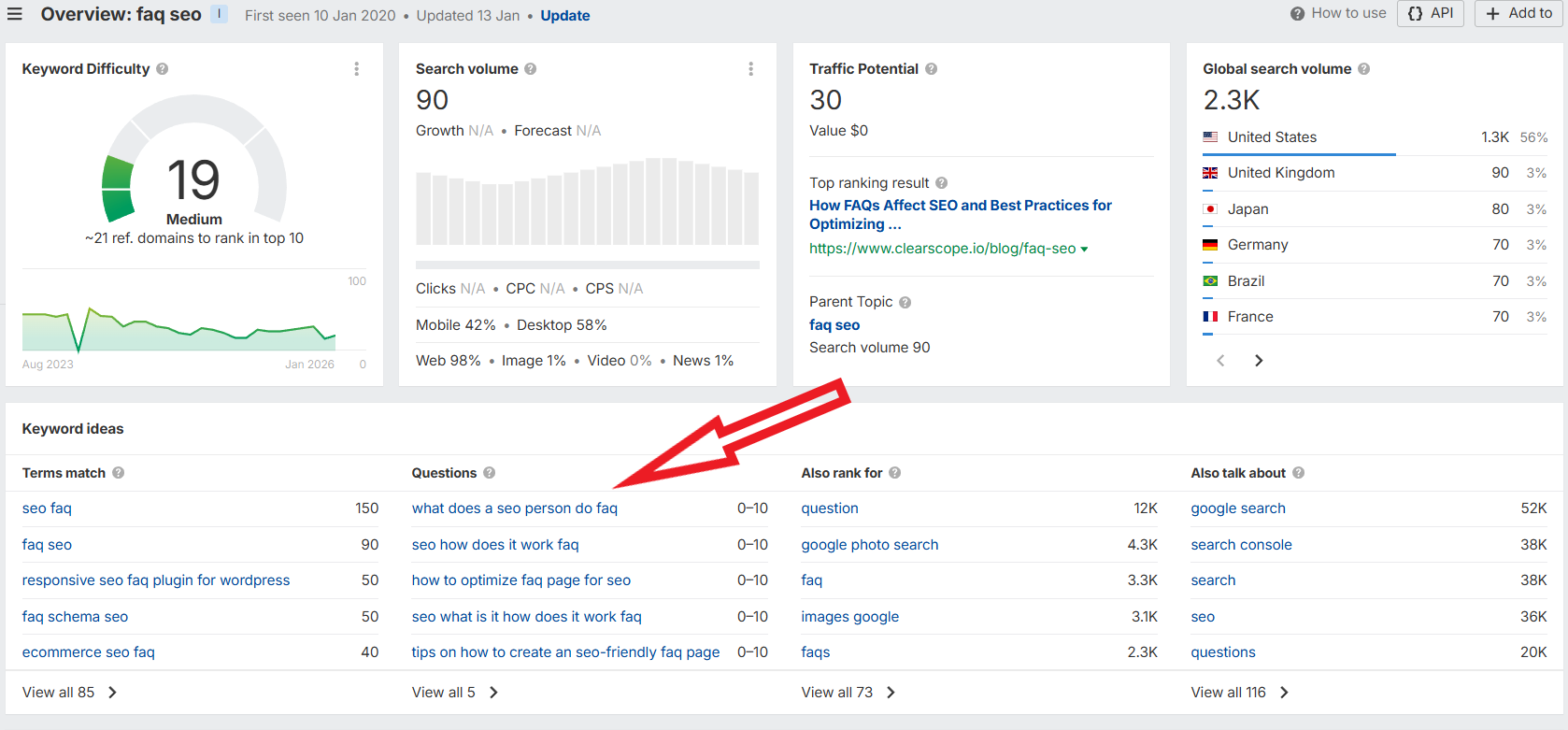
This helps me find FAQ questions that actually have search demand, not just “sounds like a good question.” It’s essential for understanding what content will drive results in search engines.
ChatGPT
ChatGPT is my speed tool for generating question variations.
I’ll use it to generate question variations I might miss, especially if the topic has different angles or beginner vs advanced intent.
The key is I don’t trust it blindly. I use it to brainstorm, then I sanity-check the best questions using People Also Ask or Ahrefs.
A prompt I use a lot is something like:
“Give me 15 FAQ questions someone would ask before/after reading an article about [topic]. Keep them search-style, not marketing-style.”
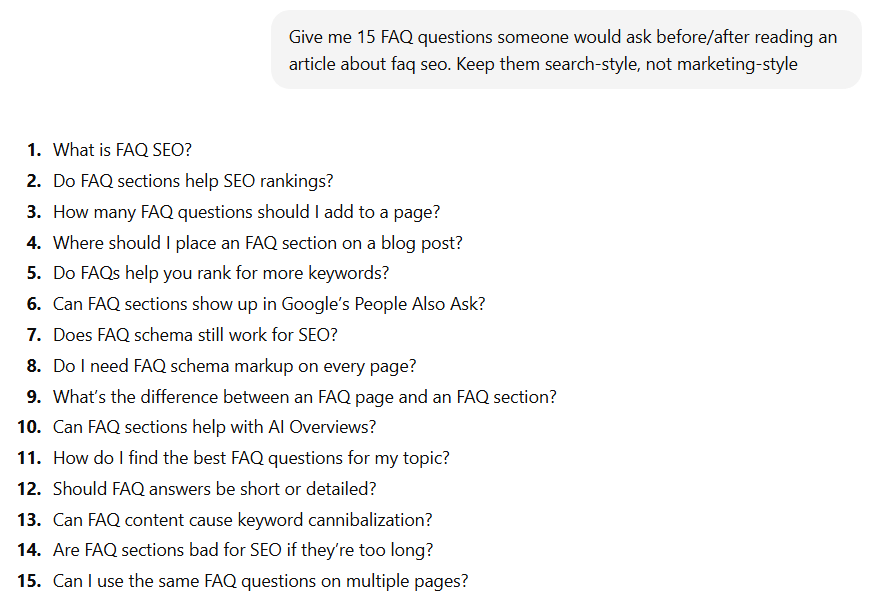
It’s not a data source, but it’s great for expanding your options fast.
Make Sure to Add Schema
Schema isn’t mandatory, but I still like adding FAQ schema because it makes your questions and answers easier for search engines and AI systems to read. This structured data is one of the best practices in technical SEO.
My workflow for adding schema markup is simple.
First, I write the FAQ section directly on the page and keep the answers short and clean. Then I open an FAQ schema generator (you can also use tools like Yoast SEO if you’re on WordPress) and paste in the exact same questions and answers, without changing the wording.
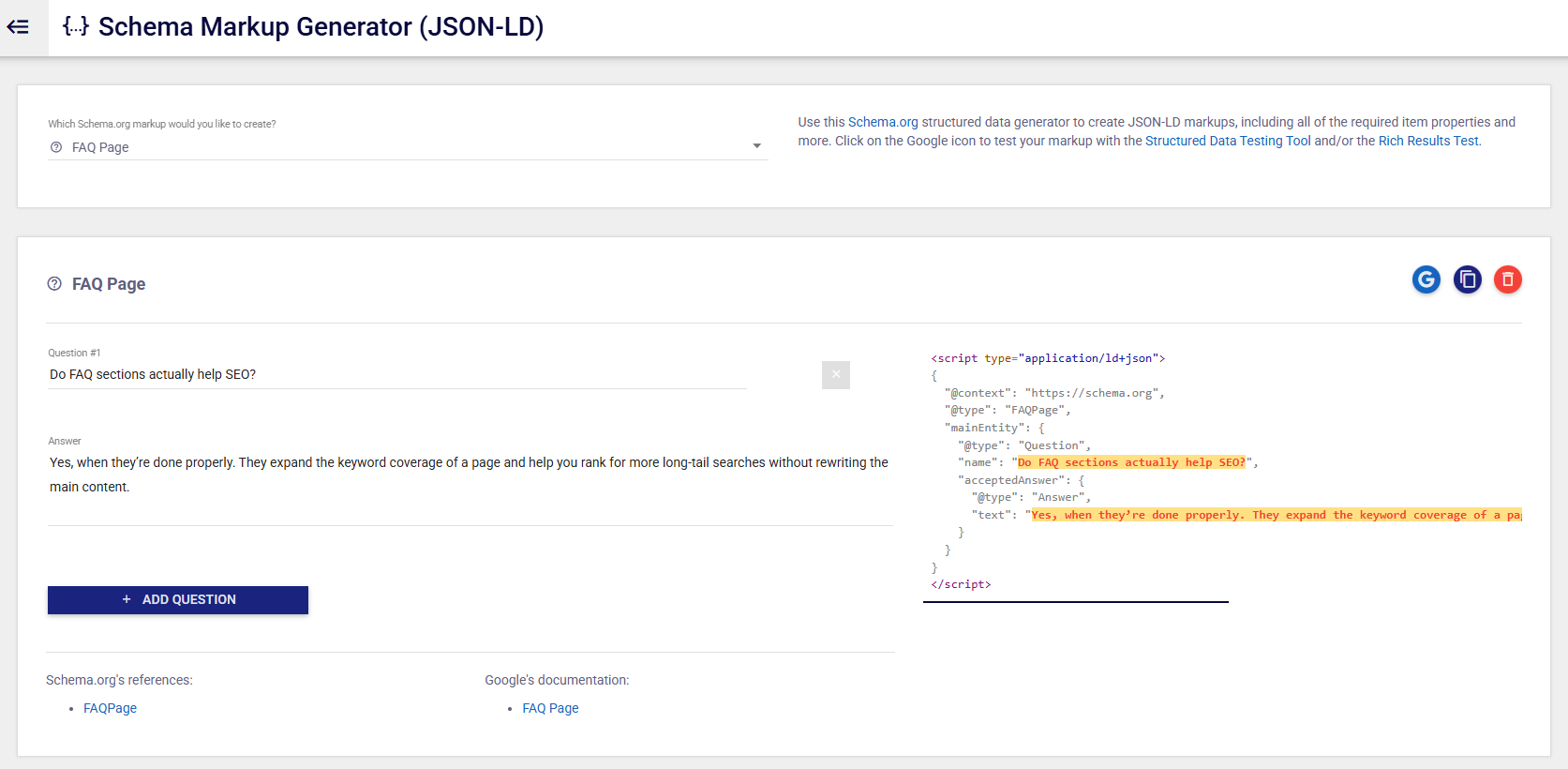
Once the tool generates the JSON-LD for FAQPage schema, I copy it and add it to the page, usually through the header or whatever SEO/schema field my CMS provides.
This is critical for appearing in rich results and improving visibility in search results across search engines in the United States and globally.
After that, I run a quick validation check using a schema markup validator to make sure the markup is detected and there are no errors.
This step is a reporting requirement for proper technical SEO and ensures your FAQ structured data is correctly implemented.
It’s a small step, but it makes the whole FAQ block more machine-readable, which is the point.
When done correctly, FAQ schema markup can help your content appear as an FAQ rich result in search engines, significantly improving click-through rates from search results.
Link building cheat sheet
Now Over To You
FAQ SEO is one of those rare things that’s genuinely an easy win.
A small block of well-chosen questions can help you rank for more long-tail keywords, show up in People Also Ask, and give AI Overviews clean answers to pull from. It’s fast, it’s simple, and it works as part of your broader SEO strategy.
But if you want those pages to actually climb and compete, you still need links pointing to them.
That’s exactly why we offer done-for-you link building.
We secure real backlinks and listicle placements on relevant sites so your content gets mentioned, linked, and pushed up the results.
You focus on publishing. We handle the visibility part.
Frequently Asked Questions (FAQ)
Do FAQ pages actually help SEO?
Yes, when they’re done properly. FAQ pages expand the keyword coverage of a page and help you rank for more long-tail searches without rewriting the main content.
They’re also excellent for capturing featured snippets and rich results in search engines, which can significantly boost organic traffic.
How many FAQ questions should I add?
I usually aim for 5 to 8 questions. Enough to cover the main follow-up questions and common questions people search for, but not so many that the section turns into a second article. Focus on quality answers over quantity.
Should every blog post have an FAQ section?
Not necessarily, but most informational posts benefit from one. If the topic has common “people also ask” style questions in search results, it’s usually worth adding. Consider it part of your content strategy and best practices for on-page SEO.
Do I need FAQ schema for SEO?
No, schema isn’t mandatory, but it helps significantly. FAQ schema markup makes the Q&A format easier for search engines and AI systems to interpret, especially when you want your answers pulled into rich results or summaries.
It’s a technical SEO best practice that can improve your visibility in search results. You can verify implementation using Search Console or a schema markup validator.
Can FAQ sections help with voice search?
Yes. Voice search queries tend to be question-based and conversational. FAQ content with structured data provides direct answers that voice assistants can easily extract and use. This makes FAQ pages particularly valuable for local SEO and voice search optimization strategies.