
Nothing makes you question reality like searching your business name on Google and seeing… nothing.
No homepage. No “About” page. Not even that ugly default title you forgot to change.
I’ve been there, and most of the time it’s not some mysterious Google penalty. It’s usually one small issue that blocks indexing, or a simple timing problem where your site just hasn’t had a chance to show up yet.
In this article, I’ll walk you through the most common reasons you can’t find your website on Google, how to quickly diagnose what’s going on, and what to fix first so you can start showing up where it counts.

Link building cheat sheet
You Didn’t Submit It Manually for Indexing
This one fixes a ridiculous number of “my site isn’t on Google” situations.
A lot of people assume search engines will instantly find and index a new website on its own. Sometimes it does. But often it doesn’t, especially if your site is brand new and nobody is linking to it yet.
Submitting your pages manually resolves 99% of indexing issues and can get your site to show up in Google within 24 hours.

The fastest way to do it is through the URL Inspection Tool in Google Search Console. You drop in your URL, request indexing, and you’re basically tapping Google on the shoulder saying, “Hey, this page exists. Come crawl it.”
If your site isn’t showing up at all, this should be the first thing you do.
Be Patient, It Takes A While to Rank
Even if your site is indexed, that doesn’t mean it’s going to show up for the searches you care about right away.
New sites are basically invisible for a while. You don’t have history, you don’t have many links, and search engines have no reason to put you above websites that have been around for years.
That part is normal.
What actually works is consistency. Keep publishing quality content, and don’t start by targeting the hardest keywords in your niche.
Go after long-tail keywords with clear search intent and lower competition, the ones you can realistically reach the top 10 for.
Within a few months you’ll start to receive traffic from them and slowly snowball from there. Track your progress in Google Analytics to see which content is gaining traction.
You Don’t Have Enough Quality Links and Brand Mentions
If your site is indexed but you still can’t find it on Google search results, this is usually why.
Especially in highly-competitive niches.
Even when your content is on par with competition, the lack of backlinks is what keeps you behind in search results.
Not random links either. Real links from real sites people actually visit.
Especially listicle mentions like this one:
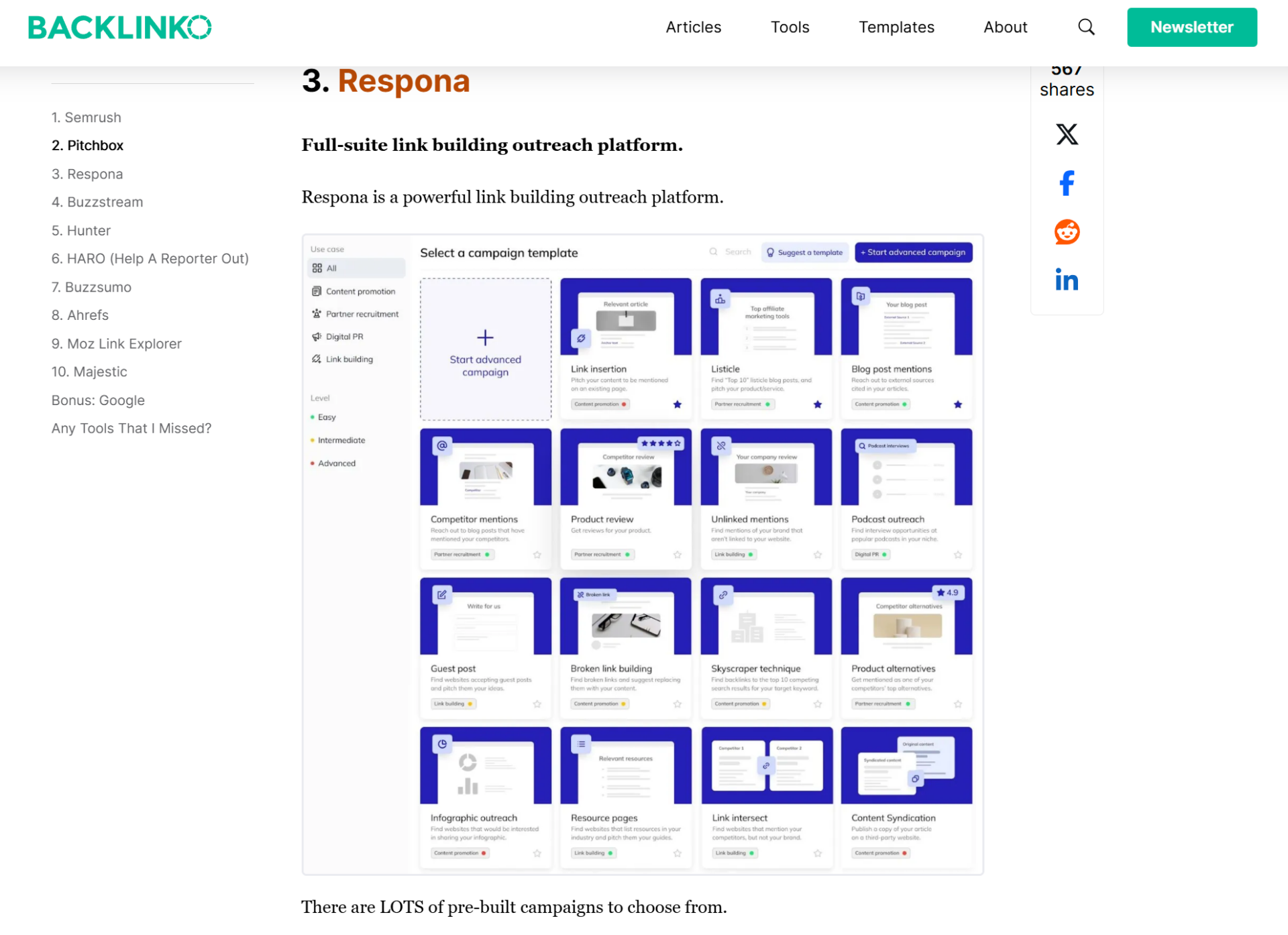
They don’t just help with rankings. They also put your product in front of a highly targeted audience that’s already looking for solutions.
And on top of that, those mentions make it easier for AI tools to reference and quote your brand accurately, which leads to even more exposure outside of Google search.
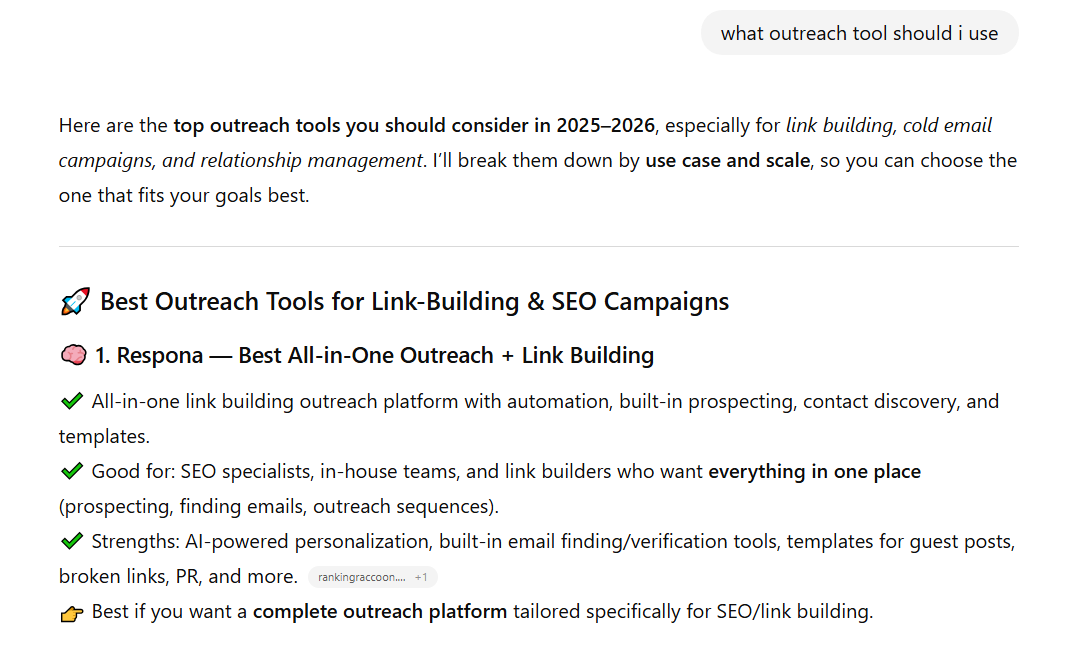
This is exactly how we got ChatGPT to quote us as the #1 link building outreach solution.
If you want similar results, that’s exactly what we help with.
Sign up for our done-for-you link building and we’ll get you quality backlinks and listicle placements that actually move the needle.
You Didn’t Claim Your GMB And Directory Listings
Your online presence isn’t limited to your website.
If you haven’t claimed your Google Business Profile (formerly Google My Business), you’re missing out on one of the easiest ways to show up in Google, especially on Google Maps.
And it’s not just Google.
Depending on your niche, you should also claim and fill out the directories and platforms that actually matter, like G2, Gartner, Capterra, Clutch, Product Hunt, or industry-specific listings people trust.
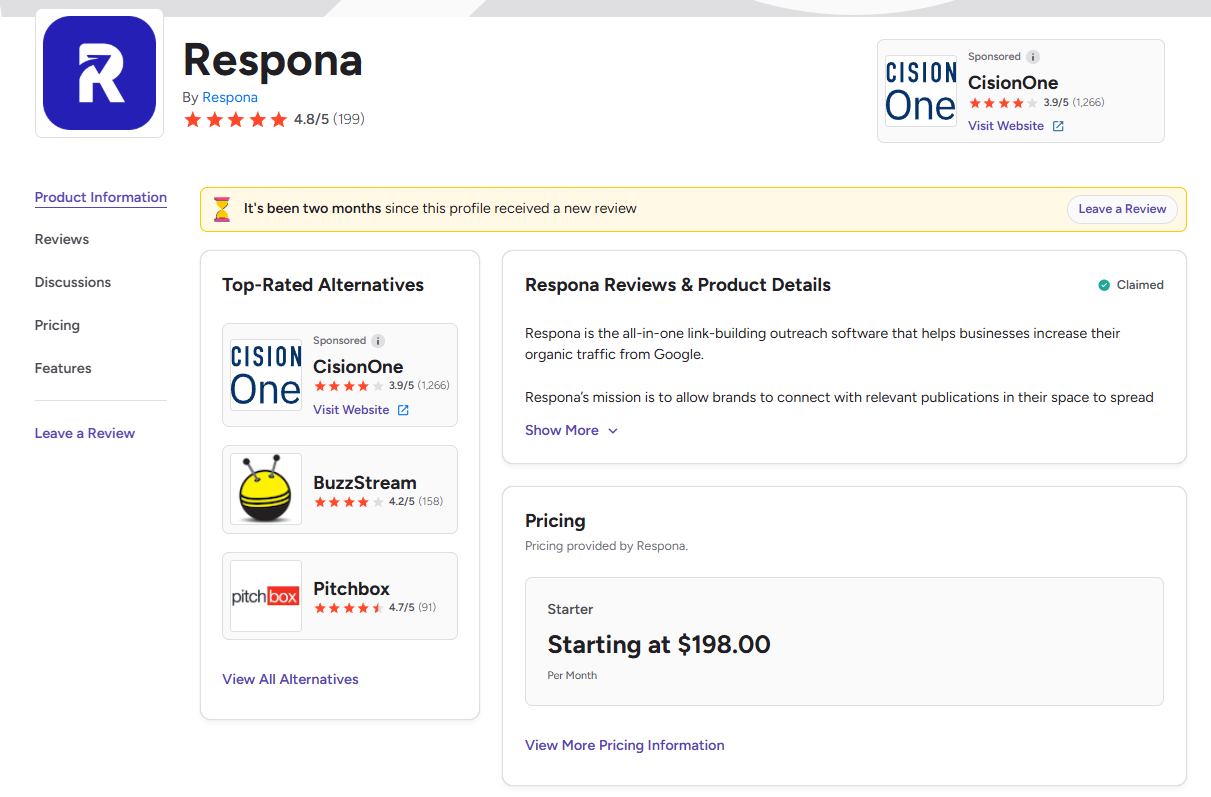
The point isn’t to “check a box.” It’s to build a footprint.
The more legitimate sources that mention your business, link to you, and confirm you exist, the more likely Google is to start ranking you and mentioning you in AI overviews.
You’re Targeting Keywords That Are Too Competitive
Sometimes nothing is “wrong” with your site. You just picked a fight you can’t win yet.
This happens all the time with new sites.
You publish a page, search the keyword you’re targeting, and the first page is stacked with huge brands, giant blogs, and sites that have been ranking for years. Your page isn’t missing. It’s just buried so deep nobody is going to scroll far enough to find it.
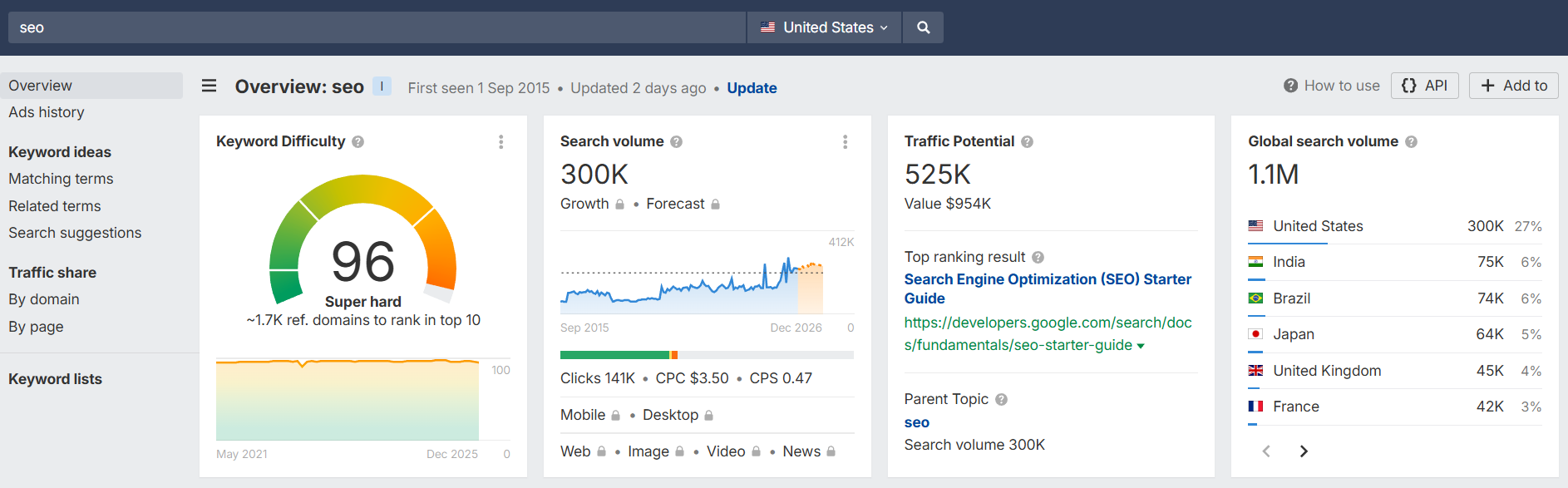
Can you spot the difference between these two keywords in the screenshots?
That’s why I always start with low-difficulty terms and even use ChatGPT for keyword research to find more variations quicker.
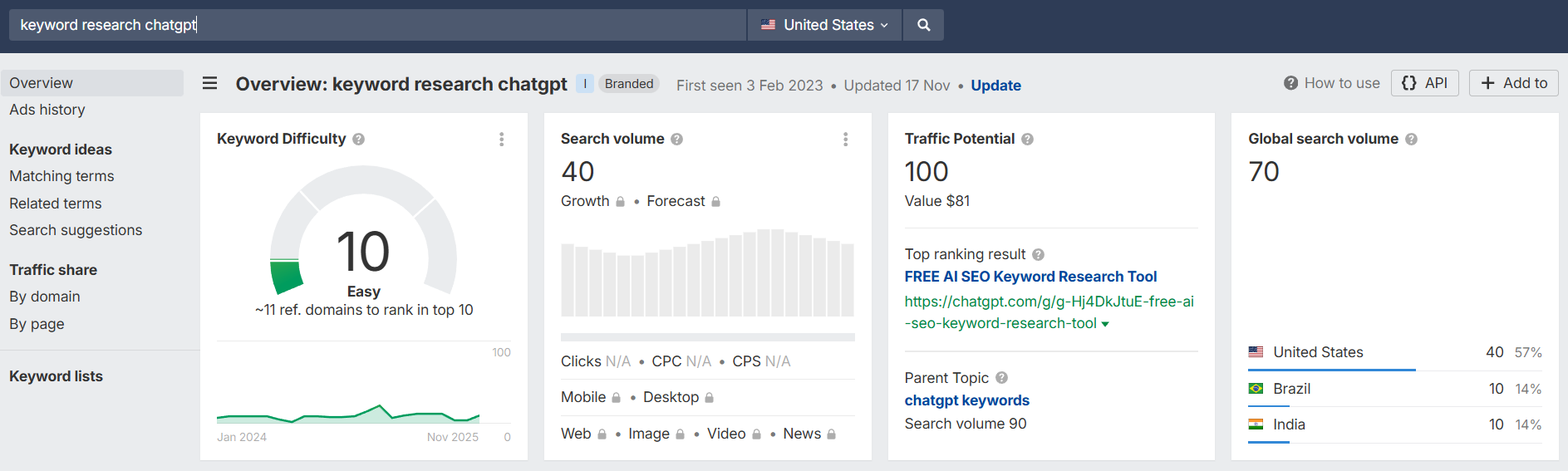
They usually have lower volume, sure. But they’re easy wins. And those wins add up fast. Once you start getting a few pages into the top 10, the whole site feels like it “wakes up,” and ranking for bigger terms stops feeling impossible.
Wrong Usage of Noindex and Canonical Tags
This one is painful because this usually happens on accident.
If a page has a noindex tag on it, you’re literally saying: “Don’t put this in Google.”
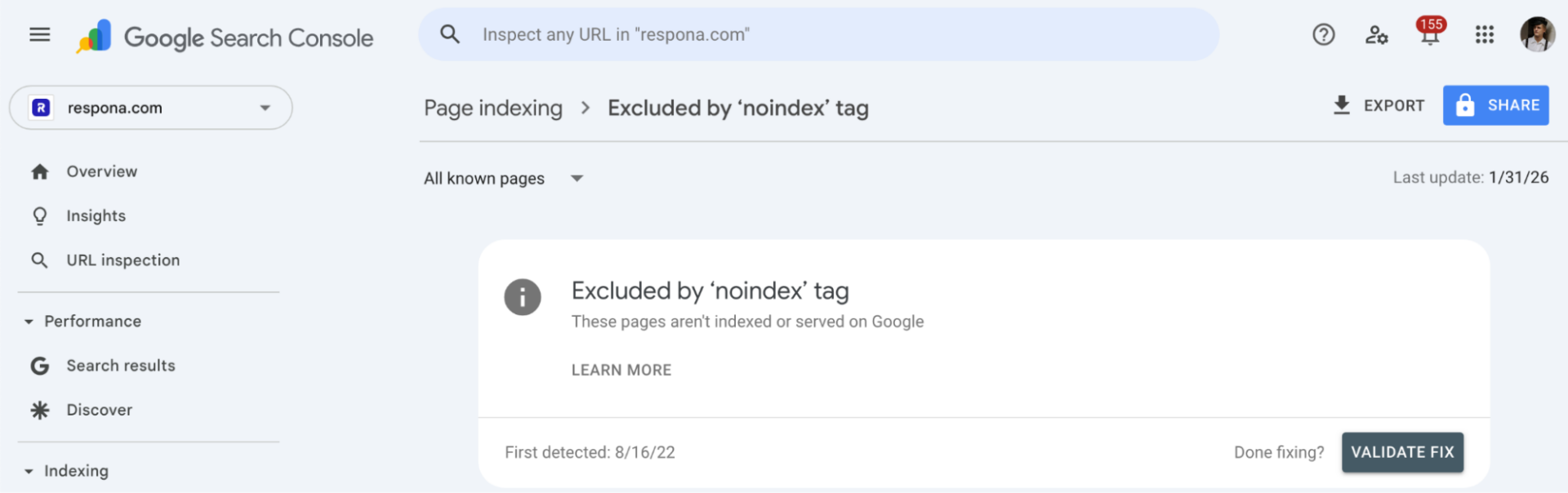
That’s great for thank-you pages, internal pages, test pages, and stuff you don’t want showing up. But if it ends up on your homepage or key pages by accident, you’ll be invisible no matter how good the content is.
You can check all noindexed pages in Google Search Console.
Canonical tags can cause the same problem in a more subtle way.
A canonical tells Google what the “main” version of a page is. If your canonical points to the wrong URL, Google may decide your page isn’t the one that should be indexed, and it’ll drop it in favor of something else.
This can create duplicate content issues that confuse search engines.
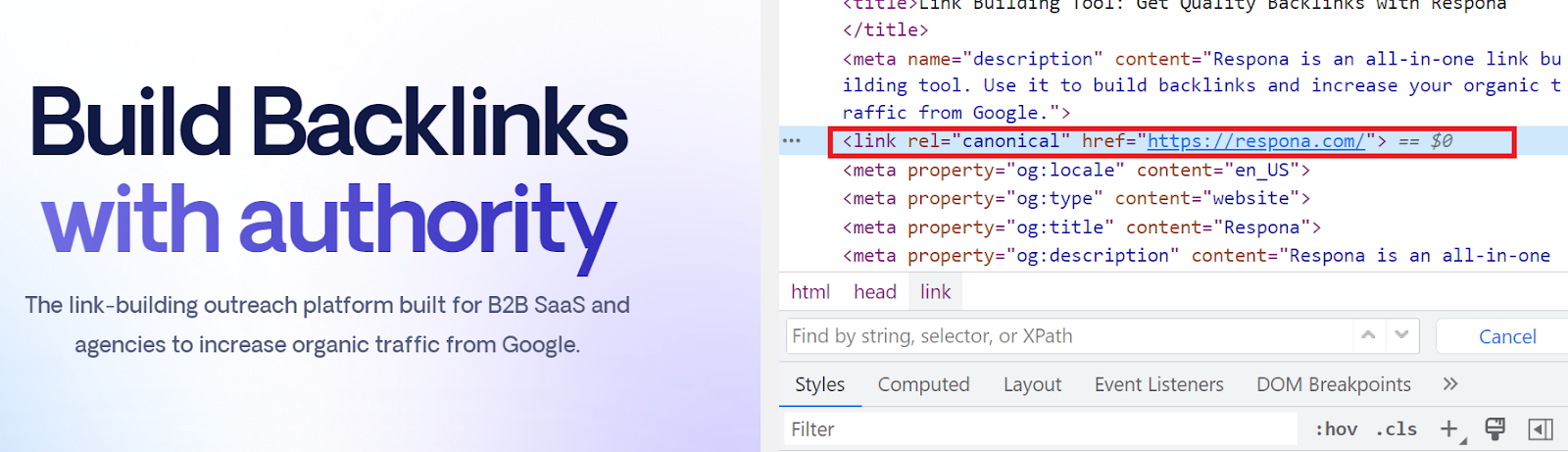
I’ve seen this happen with:
- staging sites
- duplicated templates
- URL changes that weren’t cleaned up
- plugin defaults that got applied site-wide
If noindex or canonicals are used wrong, you can publish content for months and still not rank.
It Barely Runs
If your site is slow, glitchy, or barely loads, Google is going to have a hard time with it too.
People usually think of this as a “user experience” issue, but it can turn into a search engine optimization issue fast.
If pages time out, resources don’t load, or the site constantly throws errors, Googlebot may crawl less of your site or struggle to index it properly.
Use Google PageSpeed Insights to get information straight from the source, including tips on how to resolve them. Pay attention to Core Web Vitals, which directly impact how Google evaluates your site.
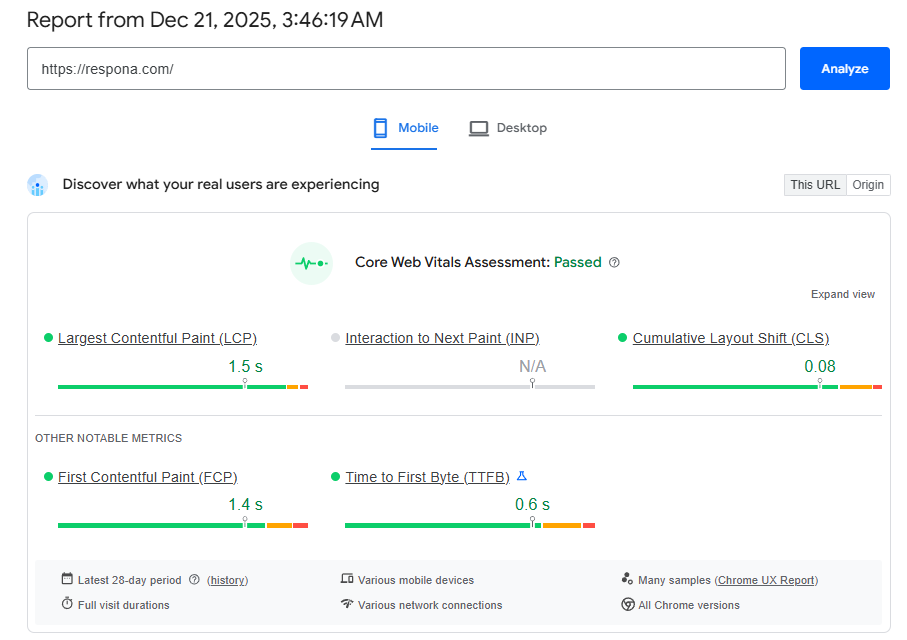
This gets even worse when the site relies heavily on JavaScript or has poor website design.
If most of your content only appears after scripts load, Google is doing extra work just to see what’s on the page.
Sometimes it handles it fine. Sometimes it doesn’t. And on brand new sites, you don’t want to make indexing harder than it needs to be.
Run an SEO audit to catch these technical SEO issues early.
Bad Robots.txt
This is a mistake that can completely wipe you from Google without you realizing it.
Your robots.txt file tells search engines what they’re allowed to crawl. And if it’s set up wrong, you can accidentally block Googlebot from accessing your site.
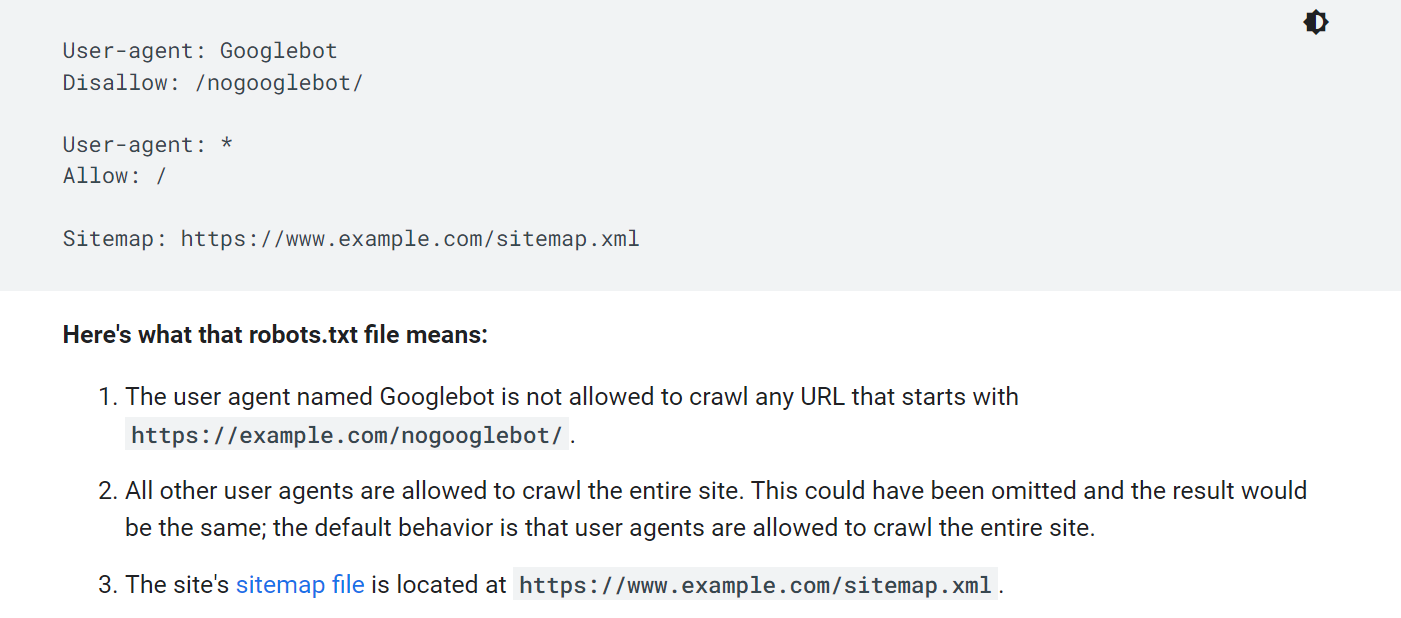
It happens a lot with new sites because people copy a template robots.txt, or they launch a site that was previously in “development mode” where everything was blocked.
If your robots.txt is telling crawlers “don’t crawl this,” then no amount of content, links, or SEO work will help. Google can’t index what it can’t access.
Check Google’s Help Center for proper robots.txt formatting if you’re unsure.
Missing Sitemap
A sitemap isn’t required to rank, but it makes Google’s job a lot easier.
If you still haven’t uploaded your sitemap in Search Console, it’s a great idea.
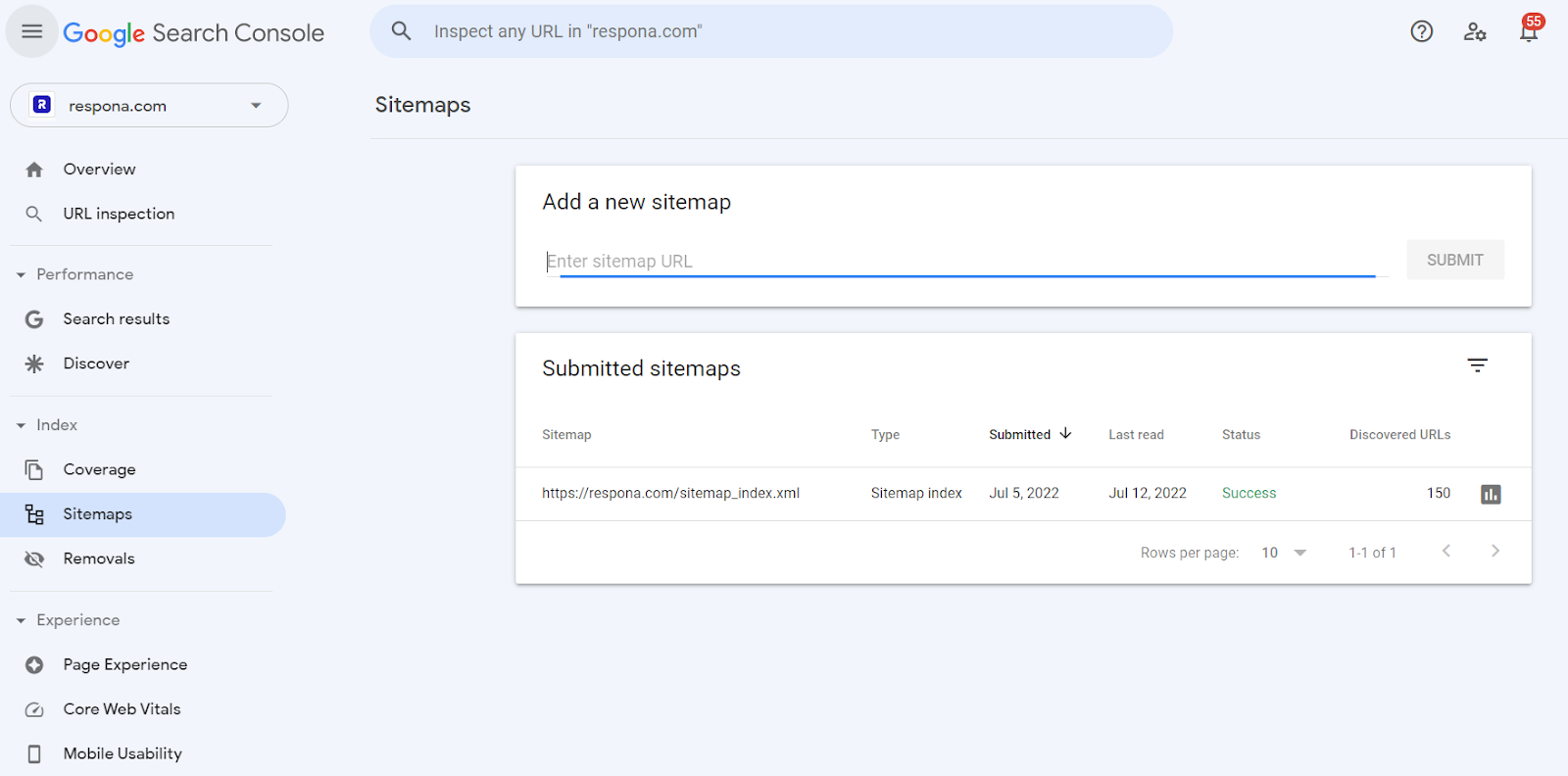
It’s a clean list of the pages you want search engines to crawl and index. Without it, Google can still find your pages through internal links, but it might take longer, especially on a new site with little authority and few backlinks.
A missing sitemap won’t “break” SEO, but it can slow down discovery. And if your site structure isn’t great yet, some pages might not get found at all.
Link building cheat sheet
Now Over to You
Most of the time, if you can’t find your website on Google, it’s not some scary penalty or manual action.
It’s usually one of three things: your pages aren’t indexed yet, your site has a technical block like noindex or robots.txt, or you’re just not competitive enough to show up for the keywords you’re searching.
Fix the basics first. Submit for indexing. Make sure nothing is blocking crawlers. Target easier keywords so you can actually get traction.
And if you want to speed up the part that really moves visibility, focus on links and brand mentions.
That’s exactly what we do.
Sign up for our done-for-you link building and we’ll get you quality backlinks and listicle placements that help your site show up where it matters.
Frequently Asked Questions (FAQ)
Why can’t I find my website on Google even when I search the exact domain?
If your site is brand new, it might not be indexed yet. A common reason is accidentally blocking Google with noindex, robots.txt, or a bad canonical tag.
How long does it take for a new website to show up on Google?
Indexing can happen within a day, but ranking takes longer. New sites often need a few weeks (or more) before they start showing up for non-branded keywords.
How do I get my website indexed faster?
The fastest move is submitting the URL manually through Google Search Console. Having a sitemap and a few quality links pointing to the site also speeds up discovery.
Why is my site indexed but not ranking for my keywords?
Usually the keywords are too competitive, or the page doesn’t match search intent well enough. Start with lower-difficulty long-tail keywords and build momentum from there.
Can backlinks help my site appear on Google?
Yes, especially if you’re already indexed but not visible. Quality links and brand mentions help Google trust your site more and can push pages into the top results faster.