
A quality backlink profile is a must for high rankings.
But, as you know, not every link is good. It is advisable to check your profile every once in a while to see if you’re getting irrelevant links or even toxic ones.
In this article, we’ll discuss how to find bad backlinks and their types.
Understanding how to find bad backlinks is an important part of protecting your backlink profile. Even if Google can ignore many toxic backlinks automatically, regular monitoring helps you spot harmful backlinks, unnatural links, and possible negative SEO before they become a bigger issue.
Let’s get into it.
Key Takeaways:
- A healthy backlink profile includes relevant, natural, quality links — not just a high number of links.
- Most websites do not need to panic about every toxic backlink because Google is often good at filtering link spam automatically.
- Running a backlink audit helps you catch bad backlinks, unnatural links, and negative SEO issues before they affect your search engine ranking.
- Signs of toxic backlinks include suspicious anchor text, irrelevant referring domains, link farms, low-quality directory links, and links from penalized or spam-heavy websites.
- If you find truly harmful backlinks, start with link removal where possible and only use the disavow tool carefully.
- Why Would you Need to Find Bad Backlinks?
- Unmarked Paid Links
- Link Farms & PBNs
- Negative Link Attacks
- Links from Irrelevant Sites
- Low-Quality Directory Links
- Reciprocal Links
- Links from Penalized Websites
- Over-Optimized Anchor Texts
- Redirected Spam Links
- Links from High Spam Score Sites
- Now Over to You
- Frequently Asked Questions (FAQ)
Link building cheat sheet
Why Would you Need to Find Bad Backlinks?
Even though Google is really good at finding and ignoring bad links, it’s still a good idea to run a backlink audit every once in a while.
Here’s why:
First, it helps you see who’s talking about your site. You might find links from places you didn’t expect, which can be useful.
A backlink audit is useful because it gives you a clearer picture of your overall link profile. Instead of only counting how many backlinks you have, you can evaluate link quality, identify toxic backlinks, and check whether your profile is supported by real quality links.
Second, although it’s less common now, someone might try to hurt your website by sending a bunch of bad links to it. Checking your links helps you catch this early.
Third, if you hired someone to build links for you, you need to make sure they’re doing a good job. Checking your backlinks shows if they’re getting good links or bad ones.
It’s important to remember that Google is really good at filtering out most harmful backlinks. So, most of the time, you don’t need to worry.
That said, a sudden wave of toxic backlinks, spam links, or a coordinated negative SEO attempt can still be worth investigating. This is especially true if your backlink profile changes quickly or your search engine visibility drops without an obvious reason.
Lastly, if your website suddenly drops in search results or Google tells you they’ve penalized you, you definitely need to check your backlinks. That means there’s a problem, and you’ll need to find and remove the bad links.
Basically, while Google handles a lot of the work, keeping an eye on your backlinks helps you protect your website and make sure it stays healthy.
If you ever receive a manual action or see warnings in Google Search Console, that is a clear sign that your bad backlinks need closer attention.
How to Disavow Backlinks
Disavowing backlinks means excluding them from the ranking algorithm.
If your backlink audit uncovers harmful backlinks, toxic links, or a clear link scheme, you may eventually need to disavow links. This should usually be a last resort after trying link removal manually.
Google Search Console and other SEO tool platforms can help you review your backlink profile before creating a disavow file. The goal is to isolate only the toxic backlinks and avoid disavowing legitimate quality links by mistake.
Next, you need to make a list of these bad links in a simple text file.
Open up Notepad or TextEdit and write down the domains or specific URLs you want Google to ignore.
If you want to disavow an entire website, write “domain:example.com.” If it’s just one page, write the full URL.
Put each one on a new line. You can even add notes to yourself by starting a line with a hashtag. Save this file as a “.txt” file.
Once your list is ready, you can submit it through the Google disavow tool. The Google disavow process tells the search engine to ignore those links when evaluating your backlink profile.
Now, head over to Google’s Disavow Links Tool.
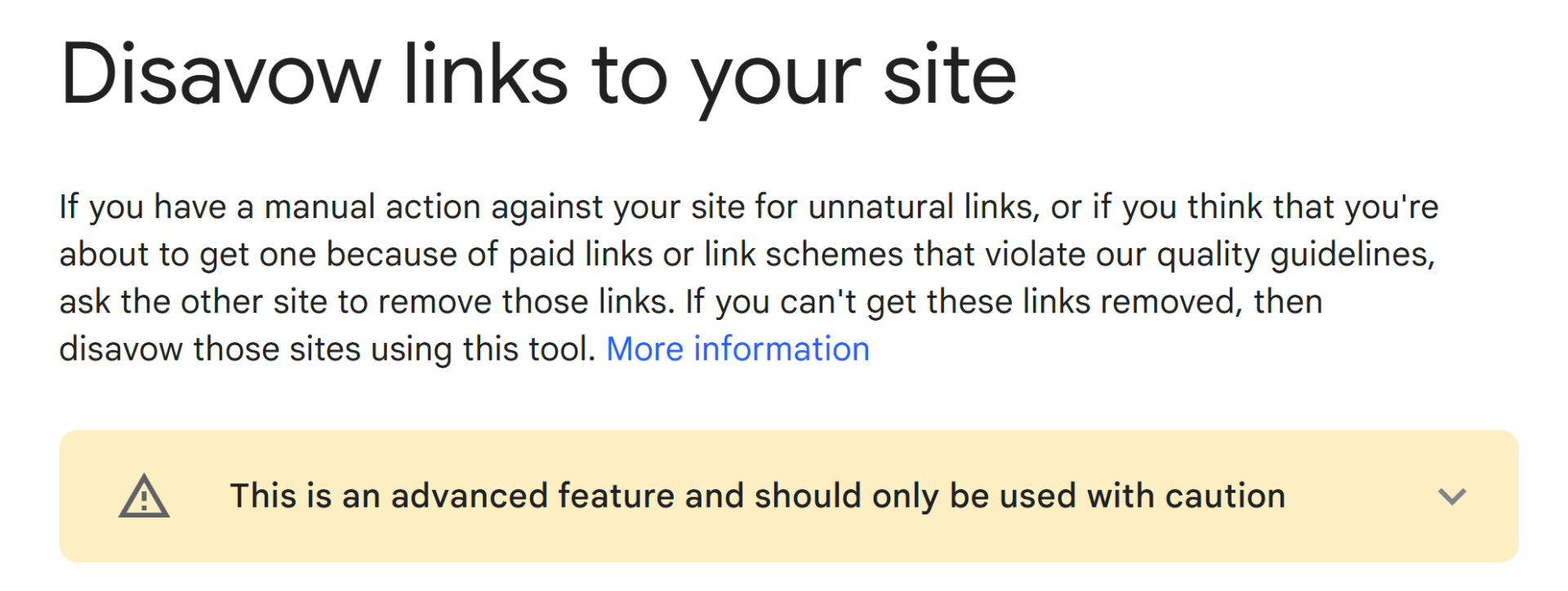
Make sure you’re logged into your Google account and choose the website you’re working on. Then, you’ll upload that “.txt” file you just made. Click “choose file,” select your list, and submit it.
Google will process your request, but it won’t happen instantly.
It takes time for them to update their records, so don’t expect to see changes right away. Also, it is very important to remember that link removal is not a magic fix.
It is a tool that is available, but it is not a cure all.
Be careful here: the disavow tool is powerful, but using it incorrectly can hurt your rankings if you remove signals from quality backlinks instead of spam backlinks.
Unmarked Paid Links
Unmarked paid links are a problem because they directly violate Google’s guidelines and undermine the very foundation of how search engines deliver relevant results.
Paid links are one of the clearest examples of unnatural links. If they are not marked properly, they can distort search engine ranking signals and put your backlink profile at risk.
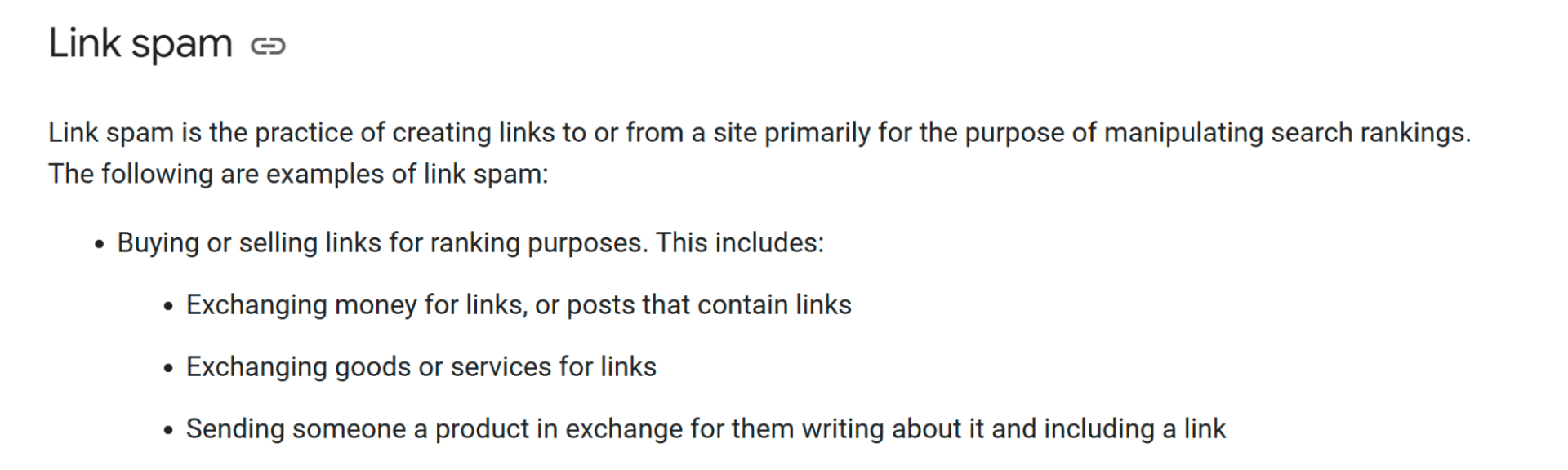
They disrupt the natural order of search results, erode user trust, and can lead to severe penalties from Google. Google’s guidelines are in place to ensure a fair and level playing field for all websites, and unmarked paid links directly contradict those principles.
These are the first bad links you should take care of – there is zero searching involved since you know what you paid for (if you did).
These links often stand out during a backlink audit because they appear on irrelevant pages, have overly commercial anchor text, or come from sites built mainly for selling links.
Link Farms & PBNs
Link farms and Private Blog Networks (PBNs) are both tactics used to manipulate search engine rankings by artificially creating backlinks.
A link farm is designed to pass as many links as possible with as little value as possible. These networks often generate toxic backlinks that inflate backlink counts without adding any real authority.
They’re considered black hat SEO techniques and are heavily penalized by Google.
Link farms are websites or networks of websites whose sole purpose is to provide backlinks to other websites.
They typically contain low-quality, often automatically generated, content and have a high volume of outgoing links.
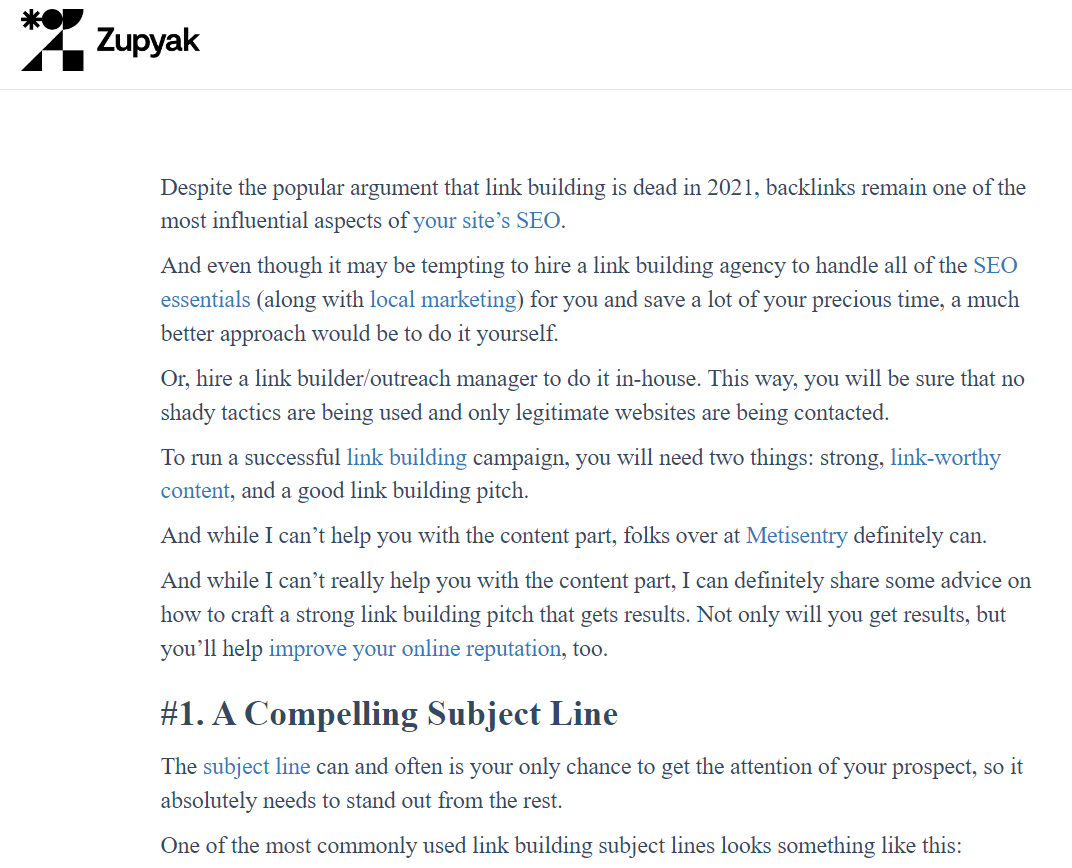
They offer little to no value to users and exist purely to manipulate search engine algorithms.
These are a tell-tale sign that a site is a link farm or private blog network:
- Low-quality content
- Excessive outgoing links
- Lack of relevance
- Suspicious domain names
- Poor website design
- High spam score
Links from these sources are some of the easiest toxic backlinks to spot because they usually lack topical relevance, have poor content, and link out to dozens or hundreds of unrelated pages.
Negative Link Attacks
While Google’s algorithms are remarkably effective at filtering out link spam, the possibility of a negative SEO link attack (a malicious attempt to damage your site’s reputation) shouldn’t be dismissed.
Negative SEO often involves creating toxic backlinks or spam backlinks pointing at a target domain in an attempt to make its backlink profile look manipulative.
The most glaring indicator is a sudden, unexplainable drop in your search engine rankings, particularly for your key terms.
This isn’t a gradual decline; it’s a sharp, noticeable plunge.
To confirm your suspicions, use a backlink checker like Ahrefs or Semrush.
A toxic backlink checker or a strong backlink audit workflow can help you verify whether the spike came from suspicious referring domains, link spam networks, or spammy link sources.
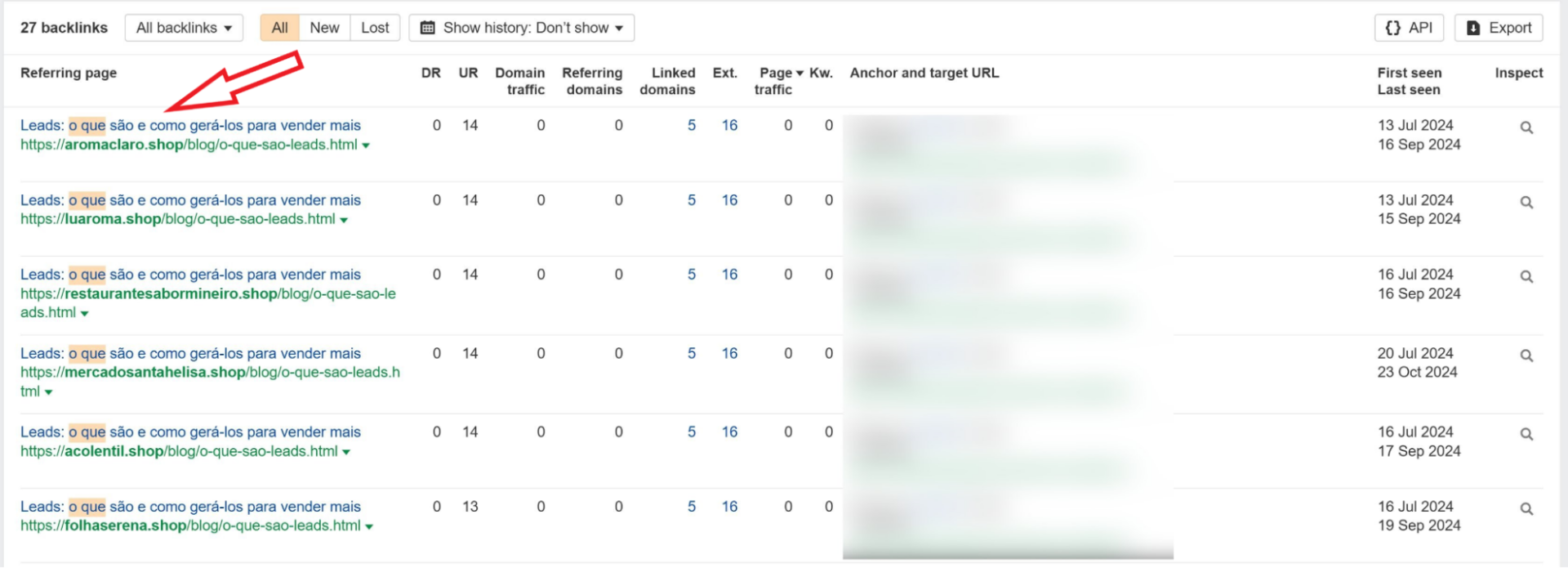
A dramatic, rapid increase in low-quality backlinks is a major red flag. Look for links from known spam hubs, toxic link farms, Private Blog Networks (PBNs), or websites with irrelevant, poorly written content.
A natural link profile grows organically; a sudden surge is highly suspicious.
Pay close attention to the anchor text of these backlinks.
If you spot a flood of spammy links with irrelevant, or over-optimized anchor text, it’s a strong sign of manipulation.
When toxic links all use the same keyword-heavy anchor text or strange foreign-language phrases, that is often a sign of deliberate manipulation rather than natural link growth.
Offensive or inappropriate language within the anchor text further confirms malicious intent.
Additionally, be wary of links from foreign websites that are completely unrelated to your target audience or from sites with suspicious domain names and IP addresses.
Sometimes referral spam in Google Analytics can accompany negative SEO, as the attackers generate fake traffic alongside the harmful links.
Links from Irrelevant Sites
Irrelevant links do not contribute to your rankings and may even hurt them.
Irrelevant links may not always be toxic backlinks, but large numbers of them can weaken your link profile and make your backlink profile look unnatural.
To spot them, fire up your link report in Ahrefs/Semrush and ask yourself these questions:
- Does the linking site’s topic have nothing to do with yours? A cooking blog linking to a car repair site is a clear sign.
- Is the linking site’s target audience completely different from yours?
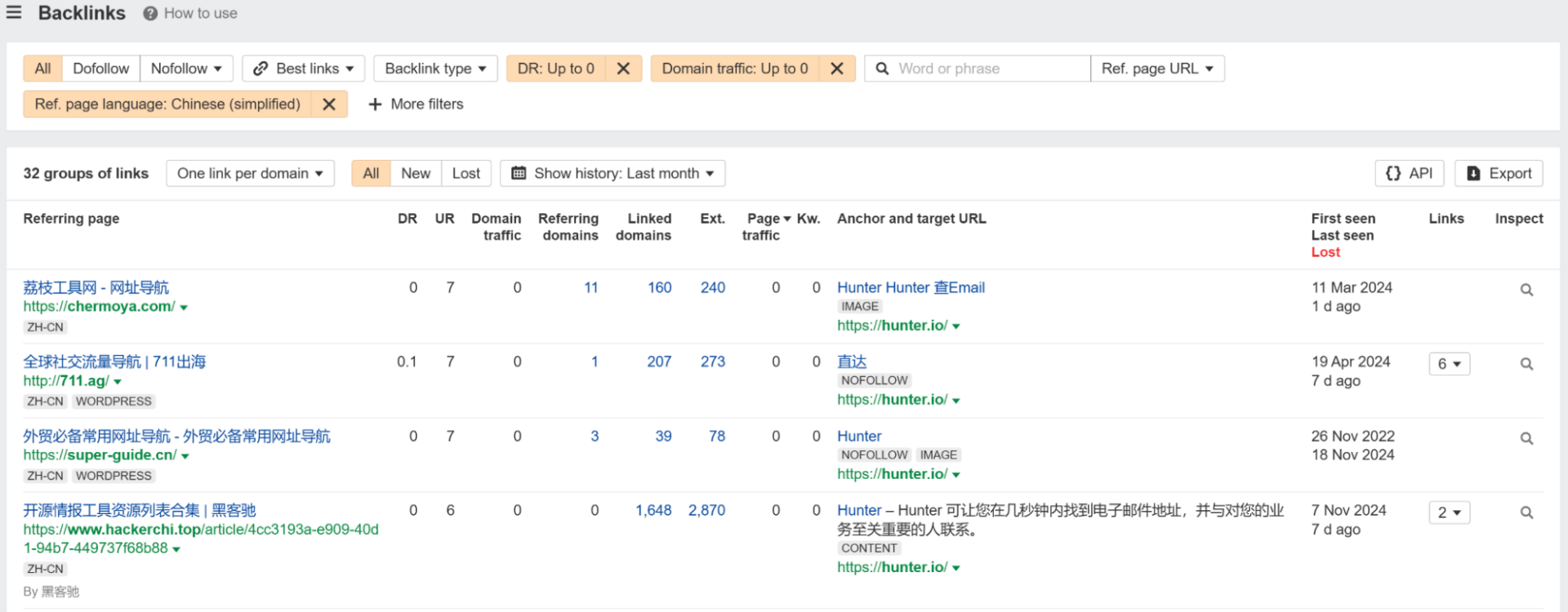
- Are links coming from sites in a language or region you don’t target?
- Even if the site is vaguely related, is the link placed in a context that makes no sense?
Low-Quality Directory Links
Low-quality directories are outdated, spam-filled online listings that offer minimal value to users.
Directory links are not automatically bad, but outdated, spam-filled directories can create bad backlinks that hurt trust instead of helping authority.
They were once used as a common SEO tactic, but now they can negatively impact your website’s search engine rankings.
It’s important to note that not all directories are bad – just the old ones that don’t get any real traffic anymore.
First, examine the categories in which your website is listed.
If your site appears in categories unrelated to its niche, it indicates a low-quality directory. Next, evaluate the directory’s website design.
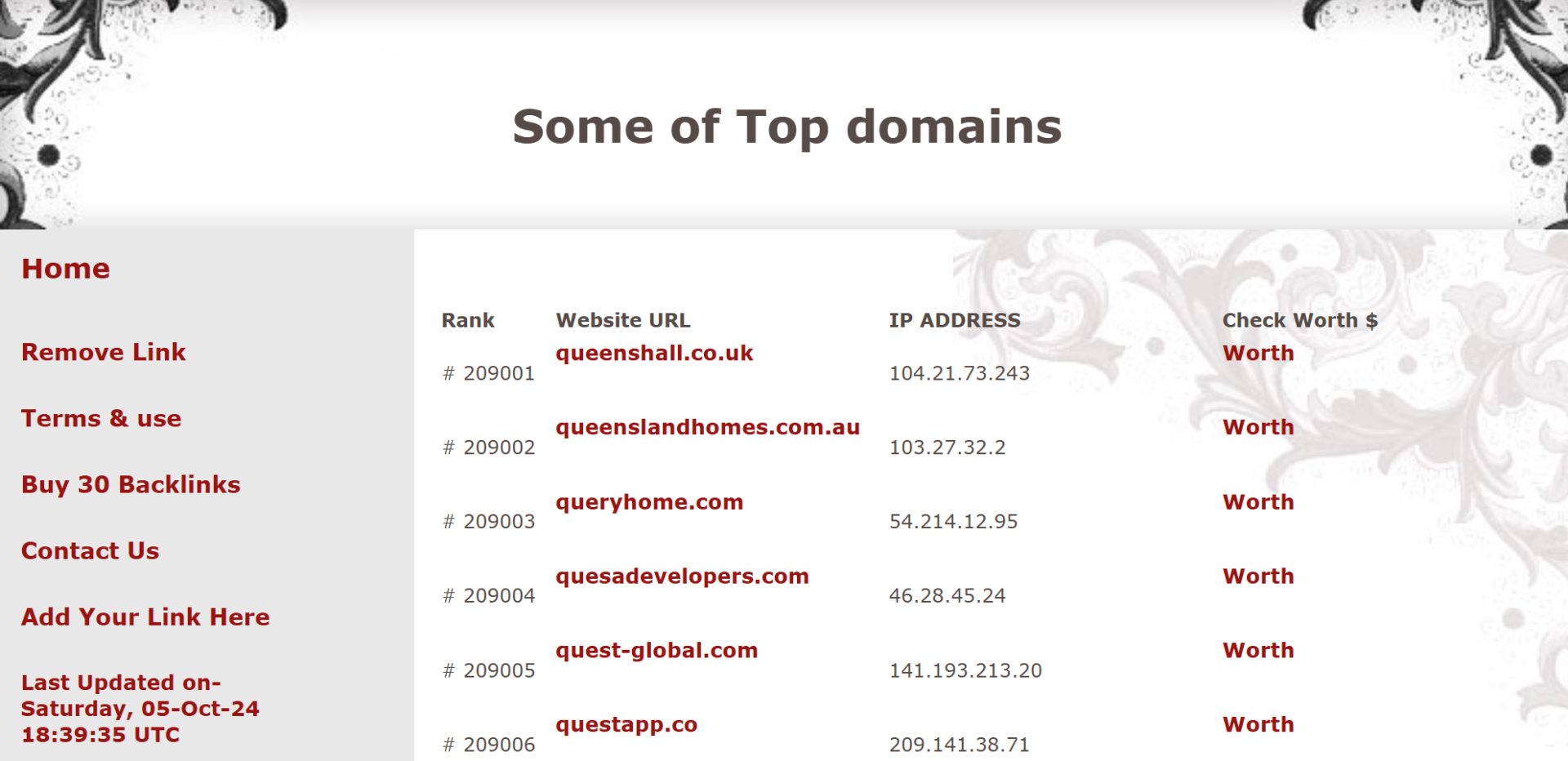
Outdated designs, excessive advertisements, and broken links are tell-tale signs. A lack of contact information or an “About Us” page is also a red flag.
Use SEO tools to check the directory’s domain authority.
A low DA score signifies low credibility. Scrutinize the directory’s listings for spammy or irrelevant entries.
You can also review page authority, trust flow, and overall spam score when evaluating whether a directory is still worth having in your backlink profile.
Note the number of outgoing links; excessive links suggest low quality. Also, consider the directory’s traffic volume; minimal traffic indicates low value. Pay attention to generic domain names and hidden or obscured ownership information.
Reciprocal Links
Reciprocal links, those where two websites agree to link to each other, might seem like a straightforward way to boost visibility, but they directly violate Google’s guidelines.
A few natural reciprocal links can happen online, but excessive exchanges can start to resemble a link scheme. That is when they move from harmless to potentially toxic links.
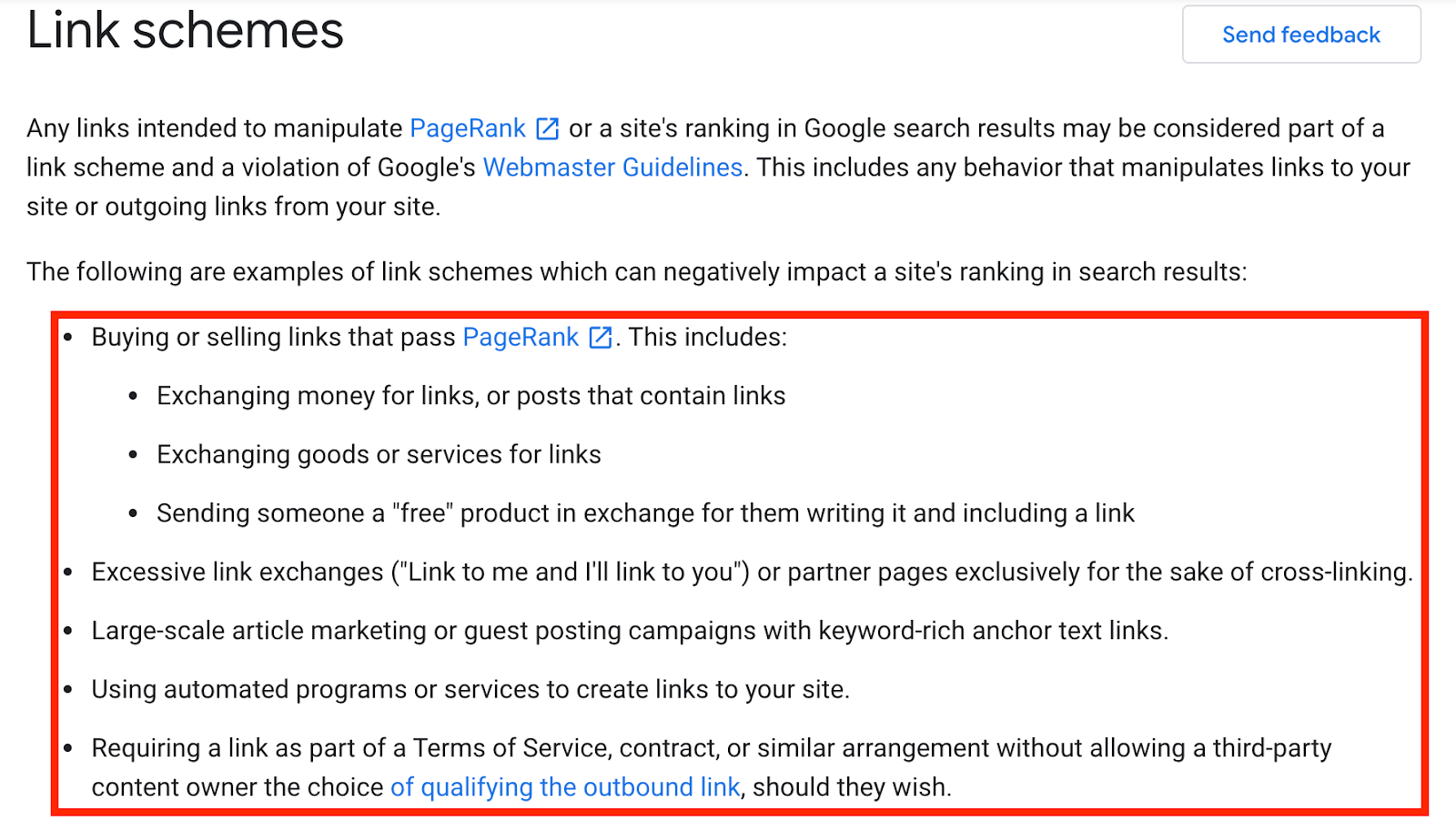
A healthy link profile is diverse, drawing from various sources. A flood of reciprocal links creates a homogenous, suspicious pattern – and Google is really good at spotting a link scheme.
This manipulation not only undermines the integrity of search results but also risks penalties from Google, ranging from ranking drops to complete removal from search indexes.
While direct, two-way reciprocal links are problematic, a much less risky alternative is the ABC link exchange.
This involves a chain where Website A links to B, B links to C, and C links back to A. This method is a lot harder to track and is less likely to be flagged as overtly manipulative.
Links from Penalized Websites
Backlinks from penalized sites can become toxic backlinks because the search engine may associate your site with a bad neighborhood or manipulative practices.
One of the most telling signs of a penalty is a sudden, sharp decline in a website’s organic traffic.
Tools like SEMrush or Ahrefs can reveal these dramatic drops.
Similarly, a significant decrease in search engine rankings indicates that Google has likely taken action.
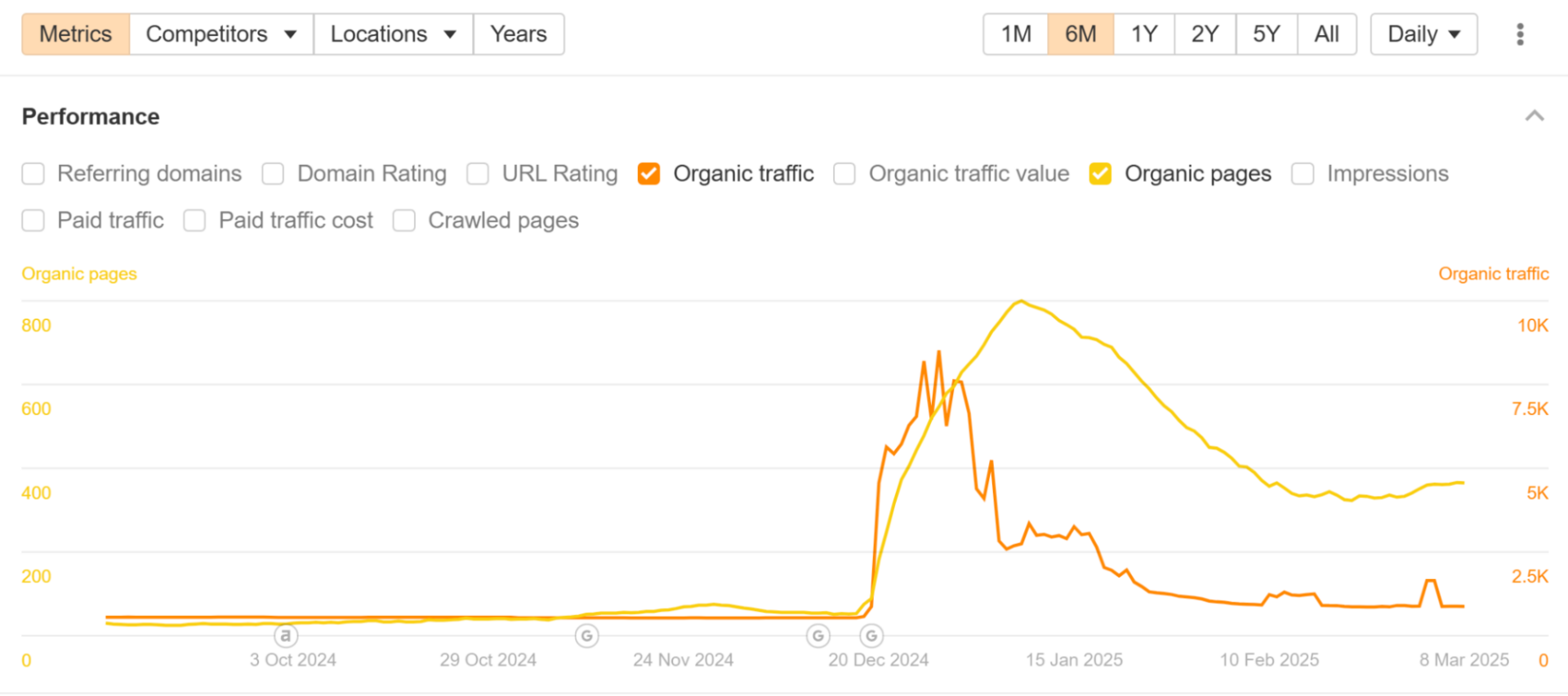
If a “site:” search in Google returns very few or no indexed pages, the site may have been de-indexed, a severe form of penalty.
Stagnant content, a lack of recent updates, and a high spam score from SEO tools are also strong indicators. Additionally, a very low amount of indexed pages is also a warning sign.
Links from these penalized websites can damage your own site’s visibility.
Firstly, the “bad neighborhood” effect can associate your site with spammy backlinks or manipulative practices, damaging your reputation.
Secondly, Google discounts links from penalized sites, rendering them useless for boosting your website’s authority.
Even if the backlink remains live, it may carry little value if the site has lost authority, visibility, and trust.
Over-Optimized Anchor Texts
Think of anchor text as the way people describe your website when they link to it.
If everyone used the exact same phrase, it would seem forced and unnatural, right?
Google thinks so too.
That’s why over-optimized anchor text, the repetitive use of exact keywords in unnatural links, is a red flag.
For example, if you sell “green gardening gloves,” constantly using phrases like “green gardening gloves,” “buy green gardening gloves,” or “cheap green gardening gloves” looks suspicious.
Google’s algorithms are smart enough to recognize this as an attempt to manipulate rankings, and they might penalize your site.
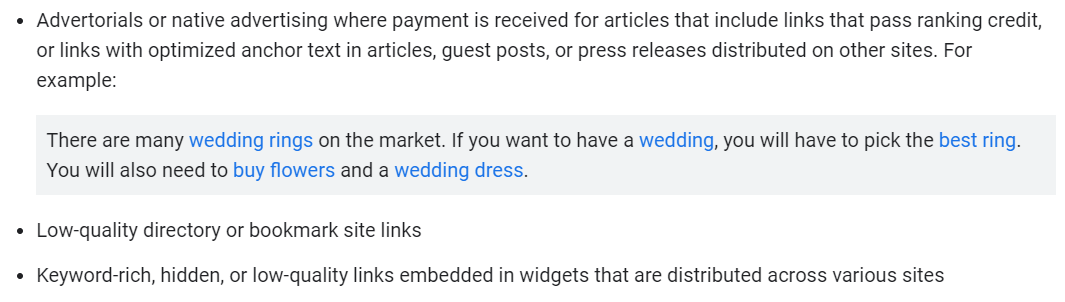
Instead, a more natural approach involves using partial match anchor text, which incorporates variations and related keywords.
This is like having people describe your gloves in different ways, such as “gardening gloves,” “green hand protection,” or “find gloves for gardening.”
This variety appears more organic and helps Google understand the broader context of your website.
To create a healthy link profile, you need a diverse mix of anchor text, reflecting how people naturally link to websites.
This includes using your brand name, the website address, simple phrases like “click here,” similar keywords, the actual website address, related keywords, and sparingly, the exact keywords.
A healthy backlink profile uses a mix of branded anchor text, generic anchor text, topical phrases, and natural variations. That balance makes the link profile look organic and credible.
Redirected Spam Links
Redirected spam links are a deceptive practice where a hyperlink’s apparent destination differs from its actual endpoint.
Redirected spam links are often overlooked during a backlink audit because the original URL can look harmless while the final destination is spammy or deceptive.
This manipulation aims to trick users and search engines, often leading to harmful or unwanted websites.
The core issue is that the link initially suggests a legitimate site, but upon clicking, the user is rerouted to a completely different location.
These links pose several threats.
They mislead users, undermining trust.
Spammy links can distribute malware, infecting devices with harmful software. They facilitate phishing scams, stealing sensitive information.
They promote spam and low-quality websites, tricking users with unwanted or even malware. Even an indirect association with these links can damage a website’s reputation.
They are also employed to circumvent security protocols.
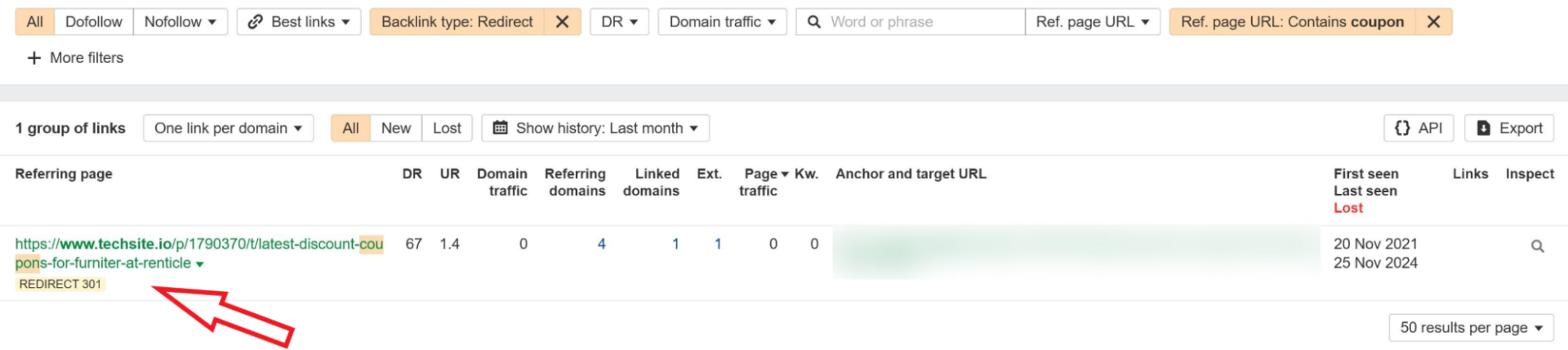
Identifying these links requires careful observation or the use of spammy link tracking tools like Ahrefs.
Be vigilant of unusually long or random URLs, or anchor texts promising discounts and coupons.
Pay attention to multiple redirects, as these are often used to obscure the final destination.
These can become especially dangerous when they hide spammy backlink sources behind multiple redirects.
Links from High Spam Score Sites
Spam Score, a metric provided by Moz, serves as a valuable tool for assessing the potential risk associated with websites linking to yours.
Spam score is not a perfect metric, but it is a useful starting point for identifying toxic backlinks and toxic links that deserve closer review.
It essentially quantifies how “spammy” a website appears, based on a range of characteristics commonly found on sites penalized by Google.
This metric is not a definitive judgment, but rather an estimation of the likelihood that a site is engaging in manipulative or harmful practices.
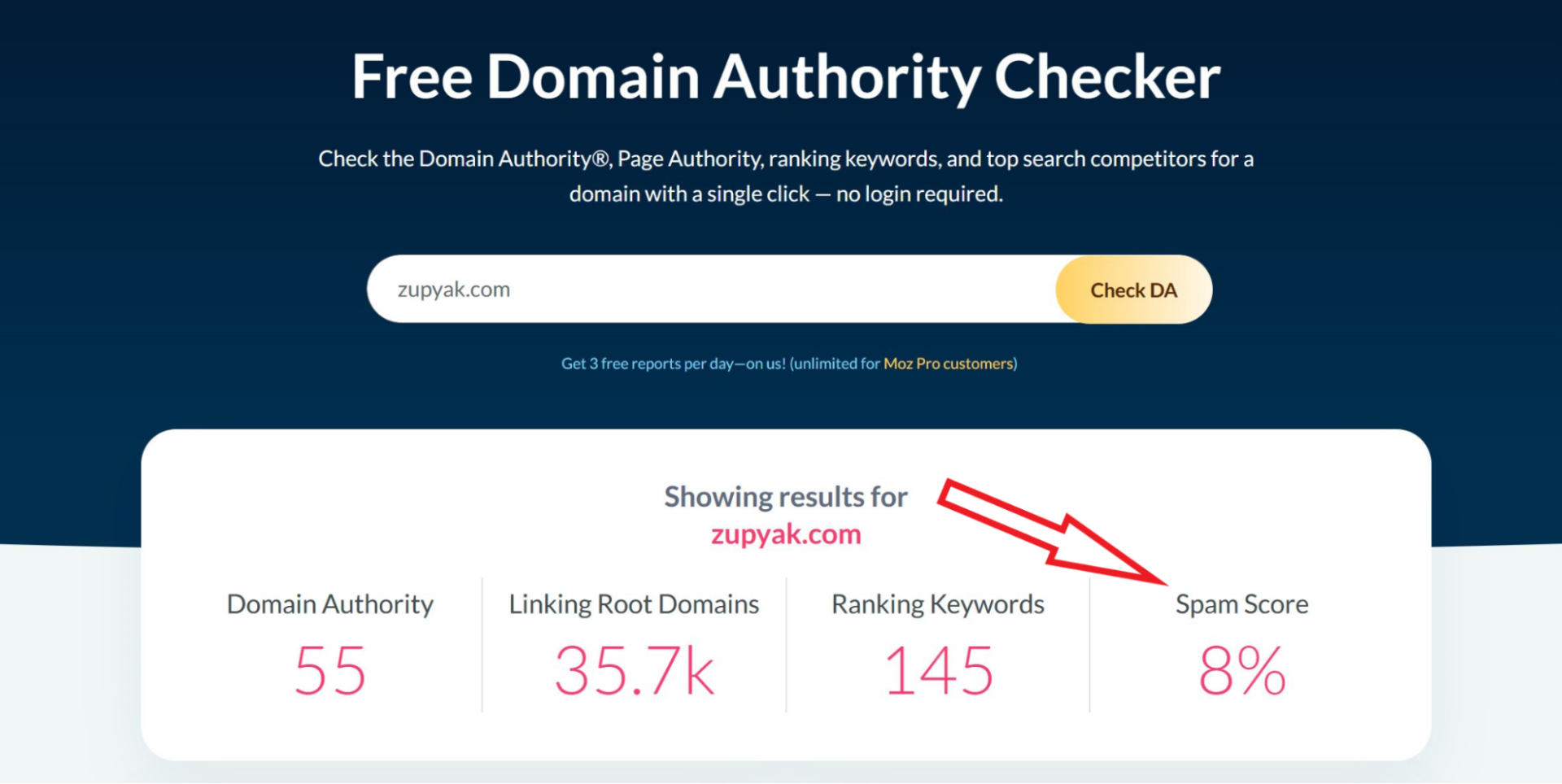
Moz’s algorithm evaluates 27 distinct “spam flags,” which are characteristics frequently observed on penalized websites.
Tools like Moz Link Explorer and Link Explorer are helpful here because they let you evaluate spam score alongside other trust and authority signals.
These include factors like low domain authority, indicating a lack of credibility; bad link diversity, suggesting a toxic link profile; and thin content, pointing to low-quality or automatically generated material.
Other factors include, very few indexed pages, a lack of external links, a low amount of linking root domains, an unnaturally high ratio of follow to nofollow links, large sites with few links, and over optimized anchor text.
To check the Spam Score of a website linking to you, you can utilize Moz’s Link Explorer tool or the MozBar browser extension.
Link Explorer, accessible through the Moz website, allows you to input a URL and receive a comprehensive analysis, including the Spam Score.
The MozBar extension, installed in your browser, displays these metrics directly on the website you’re viewing.
A high spam score alone does not automatically make a backlink toxic, but when combined with weak content, poor design, suspicious anchor text, and irrelevant links, it becomes a strong warning sign.
Link building cheat sheet
Now Over to You
Finding bad backlinks is important, but it’s only half of the equation.
Cleaning up toxic backlinks protects your site. But the real rankings come from building high-quality links that actually move the needle.
That’s where most people get stuck.
Auditing links is straightforward. Earning consistent, relevant backlinks from real websites is not.
It takes:
- finding the right opportunities
- reaching out to the right website owner
- personalizing every pitch
- and following up consistently
Our done-for-you link building handles all of that for you.
We don’t just help you avoid bad links. We focus on building the right ones.
That means securing placements on relevant blogs, listicles, and editorial content that actually improve your rankings and organic traffic.
And those placements do more than just help with SEO.
They improve your AI visibility.
Frequently Asked Questions (FAQ)
How often should I check my backlinks for bad links?
It’s a good practice to check your backlinks at least quarterly.
If you’ve recently engaged in link-building activities or suspect a negative SEO attack, you should monitor them more frequently, perhaps monthly.
Regular checks help you catch potentially harmful links before they cause significant damage.
What are the best tools for finding bad backlinks?
Several tools can help you find bad backlinks, including Ahrefs, SEMrush, and Moz Link Explorer.
Google Search Console provides a free overview of your backlinks, while paid tools like Ahrefs, SEMrush, and Moz offer more in-depth analysis and features like spam score checks.
If I find a bad backlink, should I always disavow it?
Not necessarily.
First, try to contact the website owner and request that they remove the link. If that’s not possible or practical, and the link is clearly harmful (e.g., from a known spam site), then disavowing it is a good option.
Disavow only clearly toxic links.
Can bad backlinks completely destroy my website’s ranking?
Yes, especially those from penalized sites or through manipulative backlinks, can significantly harm your website’s ranking.
Google may penalize your site, leading to a drop in search results or even de-indexing. That is why monitoring is key.
How long does it take for Google to process a disavow file?
Google states that it can take several weeks for them to process a disavow file.
There’s no set timeframe, and it depends on various factors. Be patient and continue to monitor your backlink profile for any changes.
Disavowing is not a quick fix.