
This is the exact SEO checklist I run for writing and publishing blog posts every day. Save this SEO checklist or print it out. The order matters less than actually doing all 17 steps in it.
Key Takeaways:
- Pick a target keyword first. Every other step in this on-page SEO checklist depends on it.
- Write a detailed outline before drafting. It’s also what makes AI usable without ruining your voice.
- Short, parseable content beats 5,000-word monsters in both search engines and AI citations.
- Publishing is 20% of the work. Internal links, indexing, and link building are the other 80%.
- Listicle mentions are now the single biggest driver of AI visibility, which is why backlinks belong at the top of any modern SEO strategy.
Link building cheat sheet
1. Pick a Target Keyword
I use Ahrefs for keyword research. Either I plug in my own ideas to check volume and difficulty, or I use the Content Gap tool to find keywords my competitors rank for that I don’t.
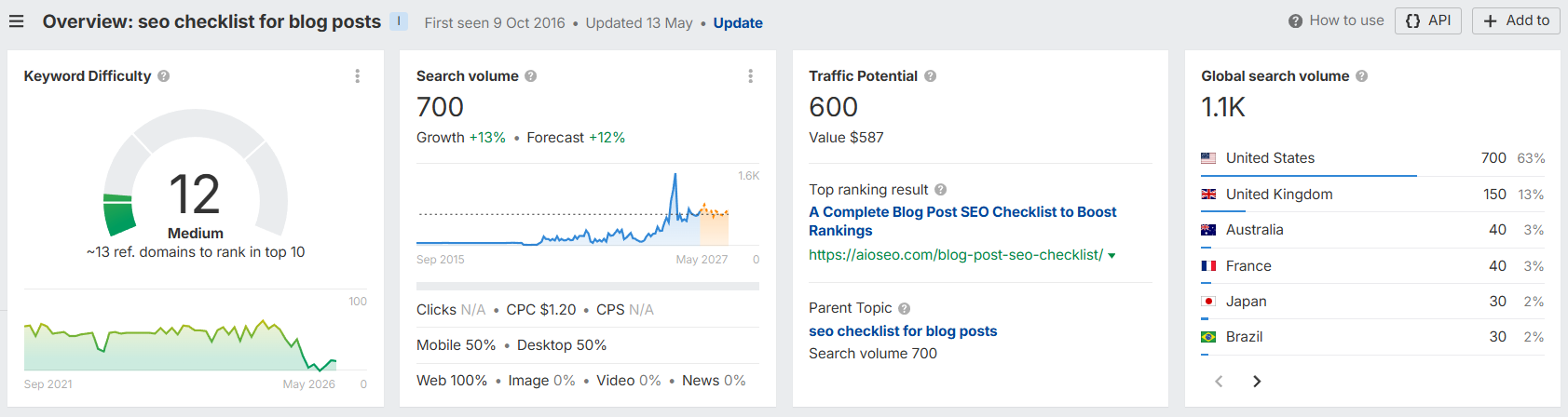
If you prefer free SEO tools, Google Keyword Planner works fine for basic volume checks. Just don’t try to optimize blog posts off vibes alone. Every blog post needs a real target keyword before any other step in this on-page SEO checklist matters.
This is also where you should think about search intent. A target keyword is useless if your blog post can’t actually satisfy what someone typing it into a search engine wants.
Search intent comes in four flavors (informational, commercial, transactional, navigational) and you want to match yours to the dominant one in the SERPs.
2. Write an Outline
Writers have always written outlines before drafting. The reason it matters more now is that a good outline lets you use AI to speed up content creation without losing your brand voice.
The trick is to make the outline detailed. Heavy notes under every heading. Bullet points with the actual takes you want to make. If you do that, you can have AI help with the draft and the output still sounds like you.
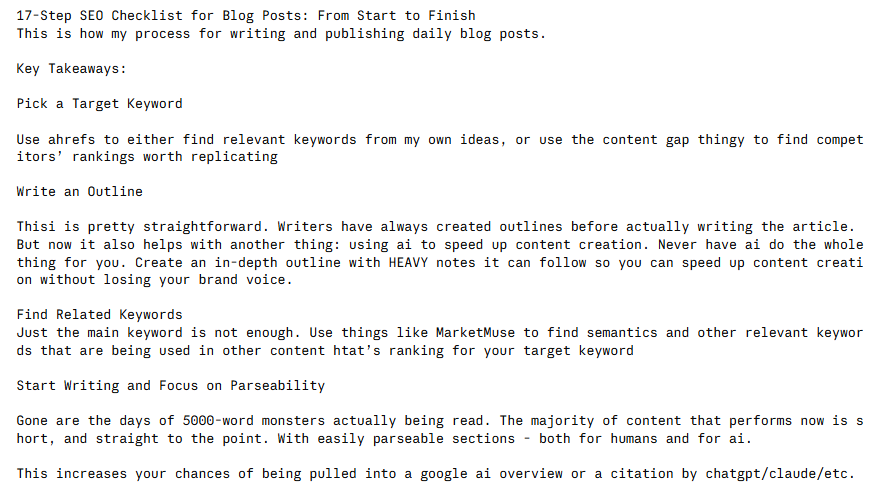
Never let AI write the whole blog article from a one-line prompt. The output is always generic and won’t rank in search engines.
3. Find Related Keywords
Just the main keyword isn’t enough. I use MarketMuse to find the semantically related terms that other ranking pages use.
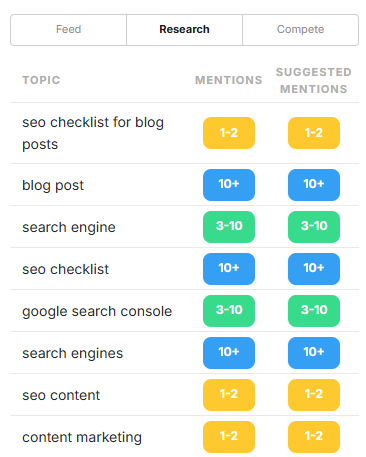
You’re looking for the topics and phrases search engines expect to see in content on this subject.
Skip them, and you’re competing with one hand tied behind your back. This step is also where you double-check search intent, since the related terms tell you what people actually want from a blog post on this topic.
4. Start Writing and Focus on Parseability
The 5,000-word monsters nobody reads are done. Most content that performs in search engines now is short, direct, and easy to scan, both for humans and for AI.
Short paragraphs. Clear subheadings. Bullet points where they actually help. Skip throat-clearing intros.
This is also what gets you pulled into a Google AI Overview, a featured snippet, or a citation in AI search. They all want passages they can lift cleanly.
5. Naturally Integrate Related Keywords
MarketMuse will give you a content score, a target length, and which keywords to include more of. Use it as a guideline, not gospel.
Don’t blindly chase a perfect score. Keyword stuffing is still keyword stuffing even when an SEO tool tells you to do it. If a keyword feels forced, leave it out.
6. Add Key Takeaways and FAQ Sections
Two reasons these are non-negotiable now:
- They’re perfectly formatted for AI overviews and search engines to lift directly.
- They give you natural placement for related keywords you couldn’t fit into the body without it sounding weird.
Add a Key Takeaways block right after the intro and an FAQ at the end of every blog post. These two formatting tweaks alone do more for on-page SEO in 2026 than half the technical optimizations people obsess over.
7. Proofread
Easy to skip. Don’t.
If you have someone who can read it for you, that’s ideal. If not, finish writing, walk away, and come back to the blog content the next day. You’ll catch things you missed when you were too close to it.
8. Break Up Text With Video and Images
Walls of text don’t get read. Drop in screenshots, diagrams, or short videos every few hundred words so the blog post flows better.
This also gives you more places to add alt text and more reasons for readers to stick around on the page.
Now on to the publishing side of the SEO checklist. The next few steps are technical SEO and on-page SEO basics. Boring but mandatory.
9. URL
Keep the URL structure simple: /blog/target-keyword.
No date, no filler words, no fluff. Just the keyword.
10. Meta Title and Description
I usually keep the SEO title identical to the H1. If the H1 is longer than 60 characters, write a separate title tag so it doesn’t get truncated in search engine results.
Front-load both the title tag and the meta description with your target keyword. Include it once in the meta description. Stay under 160 characters.
The meta description is a meta tag, not a ranking signal, but it heavily impacts click-through rate from the SERPs. So treat it like ad copy, not an on-page SEO checkbox you fill out and forget. The same goes for your title tag.
11. Add Alt Text
For every image on the page. Describe what’s actually in the image, naturally. Don’t keyword-stuff the alt tag.
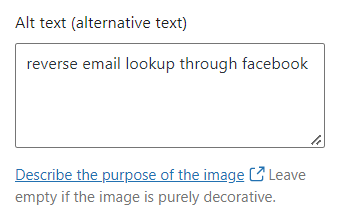
This is also one of the easier on-page SEO steps to systematize. If your team uploads images, make alt text a required field. Search engines also use alt text for image search, which is a small but real traffic source most blog posts ignore.
12. Check SERP Preview and Optimization Suggestions
If you’re on WordPress, an SEO plugin like Yoast shows you a SERP preview at the bottom of the editor. Make sure nothing’s truncated.
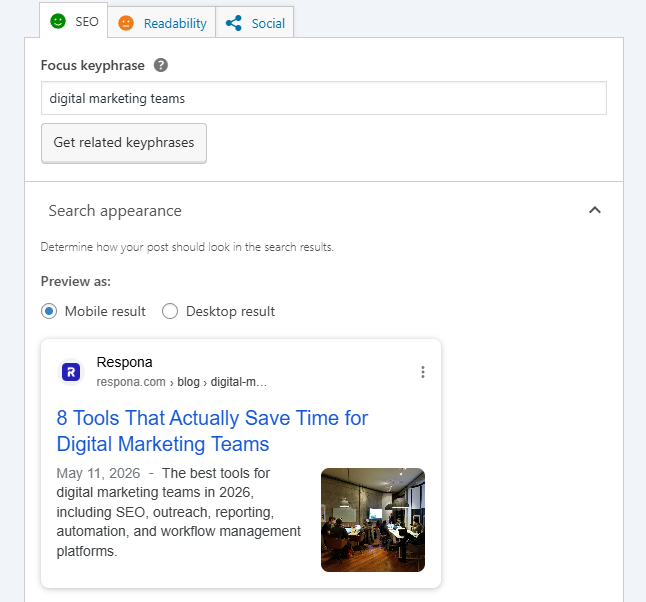
WordPress SEO plugins are pretty generic on the on-page SEO suggestions, but the readability checks are actually useful.
A green smiley face usually means you’re good to publish. Search engines won’t penalize you for ignoring a yellow face, but a green one means your page is at least readable to both humans and search engines.
13. Publish and Request Indexing
After publishing, head to Google Search Console and submit the URL for indexing. This usually gets your blog post into search results within 24 to 48 hours.
You can skip this, and the page will get crawled eventually, but Google Search Console takes ten seconds to use, and you’re not at the mercy of Google’s crawl schedule.
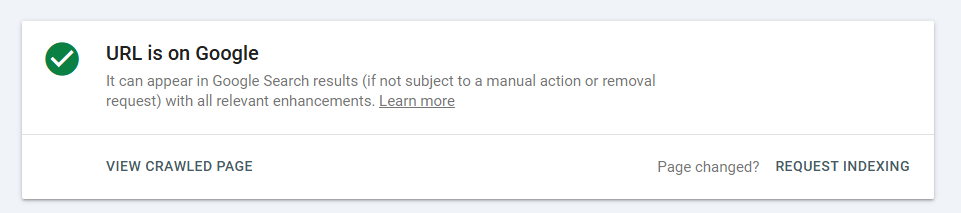
Make it a habit for every blog post. Search Console is also where you’ll later track which queries the post starts ranking for.
14. Double-Check Page Speed
Run the URL through PageSpeed Insights. It will flag whatever’s slowing the page down and tell you how to fix it.
Each Core Web Vital matters for both UX and ranking, so PageSpeed Insights is non-negotiable in any technical SEO workflow.
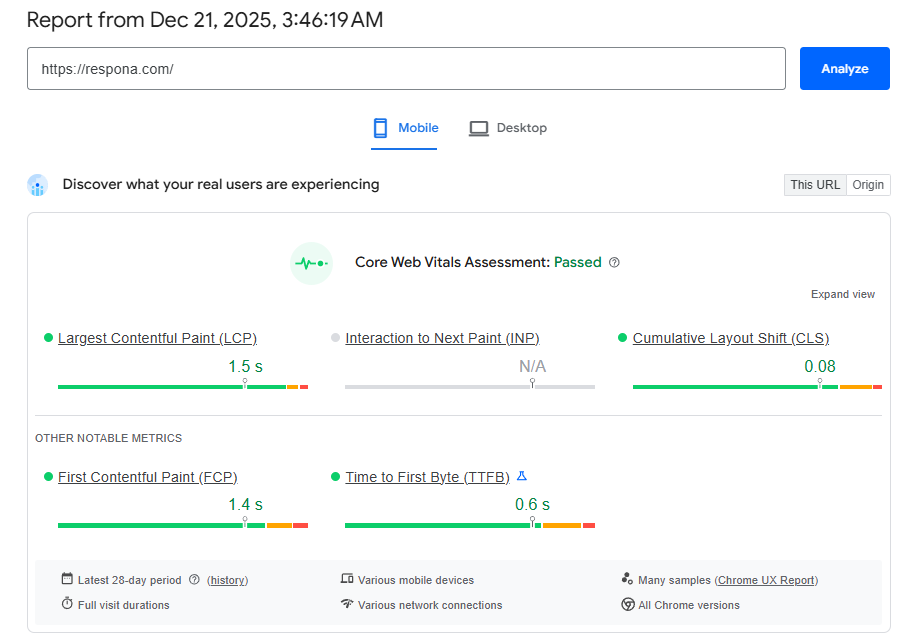
Don’t ship a slow page just to hit a publish deadline. A poor Core Web Vitals score can also push a search result down a few positions, which compounds over time.
15. Add Internal Links
Not just outgoing internal links to other articles. You need incoming internal links too, from older posts pointing to this new one.
If you skip this, the page is orphaned, and orphaned pages don’t get crawled often.

An internal link also passes PageRank, so this is one of the easiest performance boosts in the entire SEO checklist. Aim for three to five outgoing internal links per new blog post, plus two or three incoming.
16. Run a Yearly Content Audit
Once a year, go through your existing blog posts and update them. Refresh outdated stats, swap screenshots showing old UI, add new sections, and align the blog content with your current product or positioning.
Especially important if you’ve launched new features, pivoted the business, or changed your content marketing focus since publishing. A content audit is also a good time to check Google Analytics for posts that lost traffic and figure out why.
17. Build Backlinks
Publishing is 20% of the job. The other 80% is promoting the blog post and earning links.
The most valuable placements right now are brand mentions inside listicles in your niche. These pass PageRank to improve organic rankings in search engines, and they’re also the single biggest driver of AI citations in 2026.
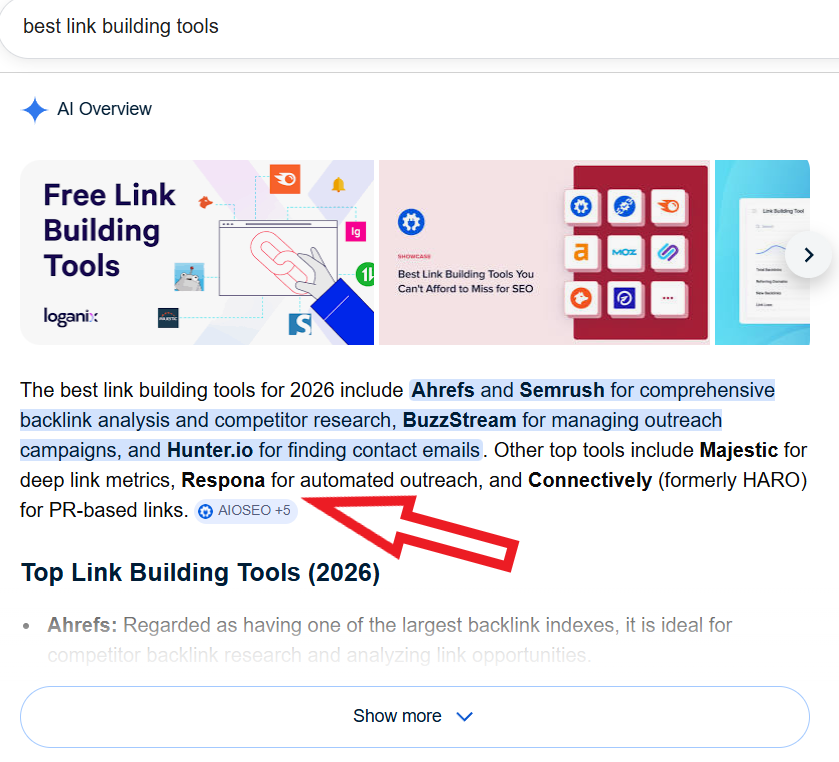
Listicle mentions are what ChatGPT, Perplexity, and Google AI Overviews lean on most when picking brands to recommend.
The catch is that landing listicle placements consistently is brutal manual work.
Finding the right articles, identifying the right contacts, writing pitches that don’t get ignored, and chasing follow-ups for weeks.
That’s where Respona’s done-for-you link building comes in.
You share four things: the page you want to build links to, your target keywords, the AI prompts you want to start showing up in, and your anchor text preferences.
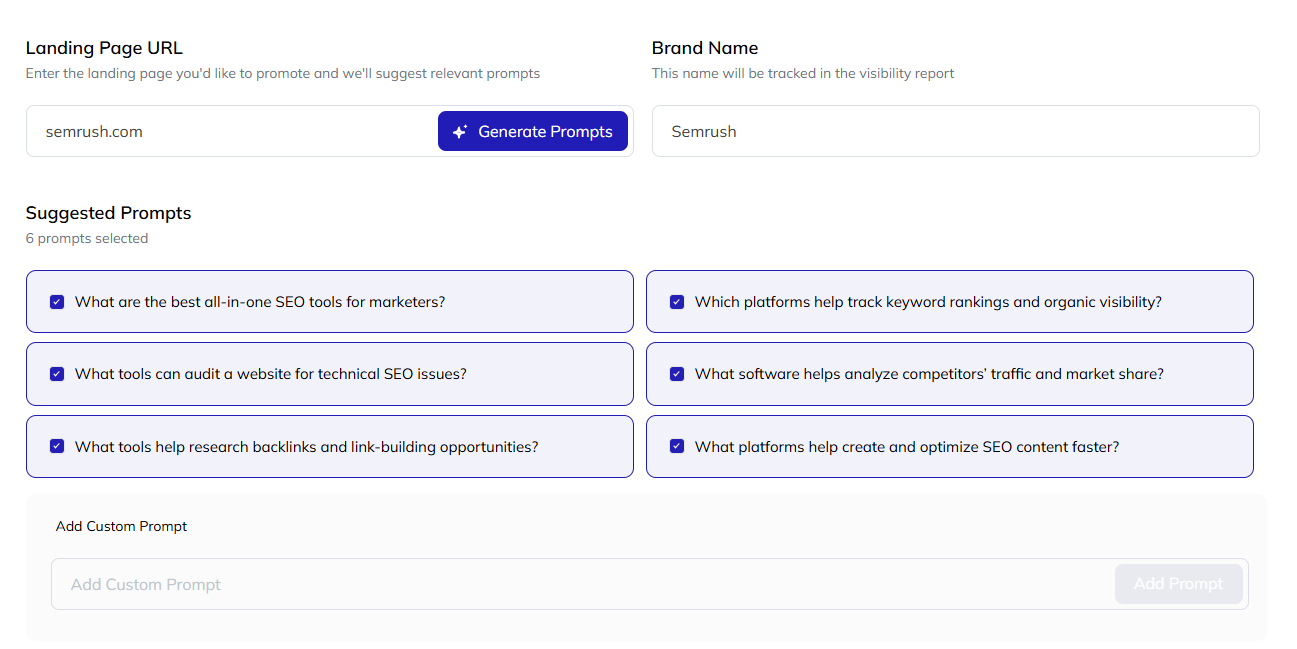
From there, the team identifies listicles and roundups that already rank in Google search for those queries and already get cited inside AI answer engines.
These are the articles actually shaping who shows up in your category, so a placement on one of them moves both organic rankings and AI visibility at the same time.
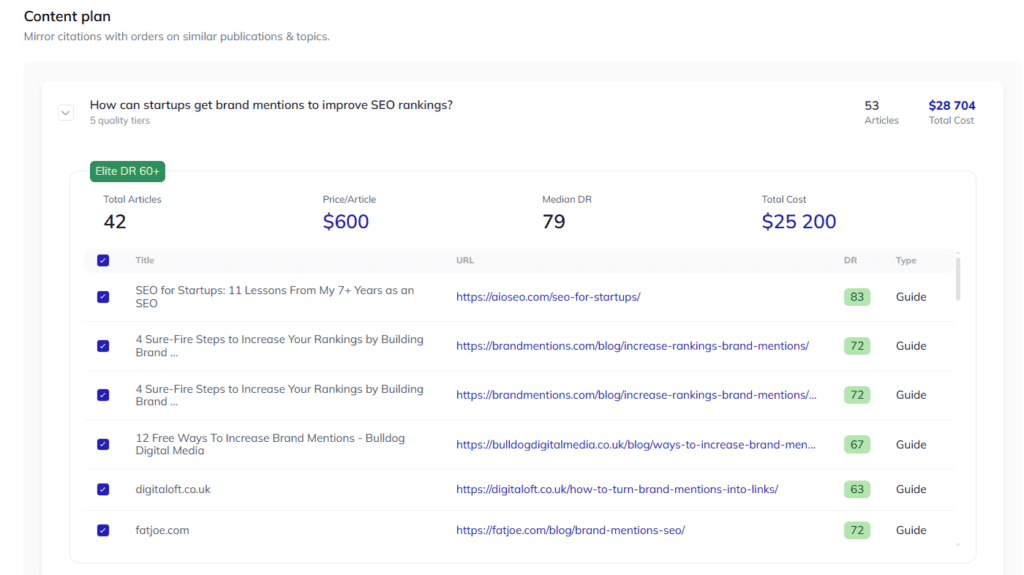
You review the opportunities before any outreach goes out and greenlight the ones you want to go after.
The team then handles prospecting, outreach, follow-ups, negotiation, and securing the live placement on your behalf.
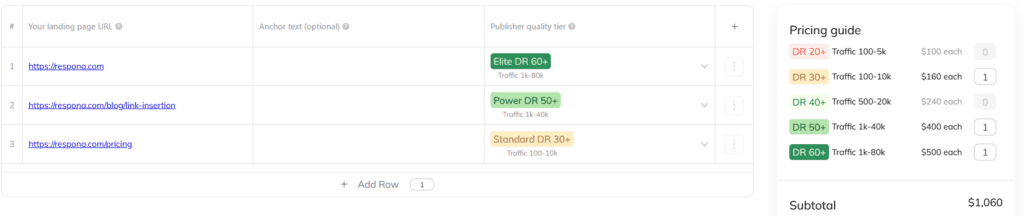
If you’d rather skip the per-placement review, you can also order in bulk inside a Domain Rating and traffic range that fits your niche.
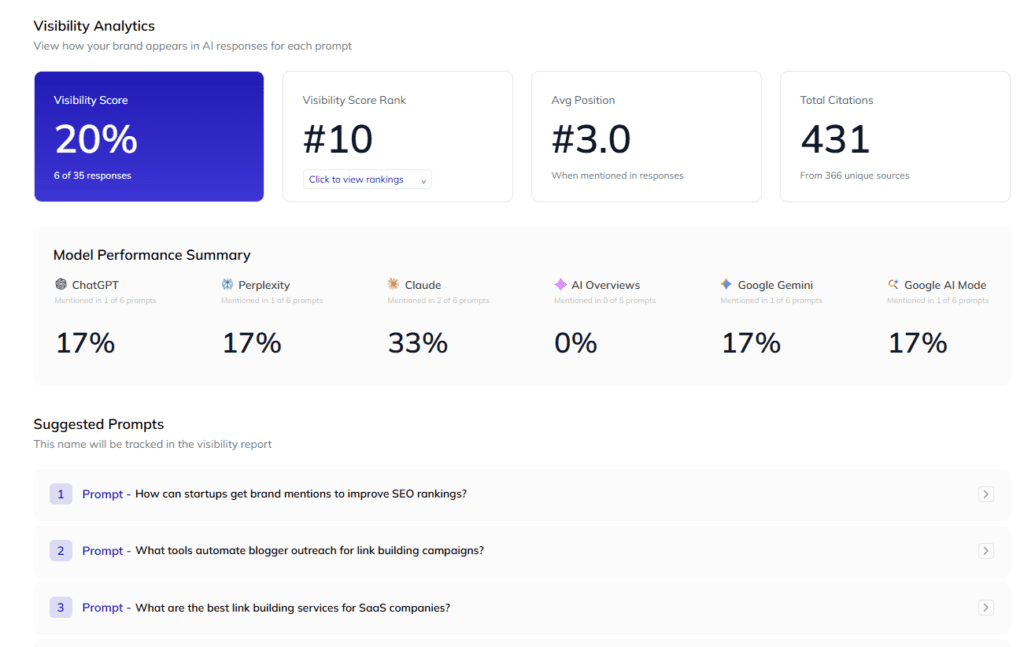
You also get visibility tracking built in, so you can watch how your rankings and AI citations shift over time as placements go live.
The end result: instead of burning hours on prospecting and outreach yourself, you treat link building like any other line item. Set the goals, approve the opportunities, and let the team handle the work.
Link building cheat sheet
Now Over to You
That’s the full SEO checklist for blog posts. Seventeen steps from picking a target keyword to building backlinks to the finished blog post.
The order matters less than actually running every step. Most blog posts fail because they skip one of the publishing-side steps in this page SEO checklist, or, more often, skip promotion entirely.
Pick a target keyword today, run through this blog SEO checklist, and publish something.
And once it’s live, don’t let it sit there. The 80% of the work that actually moves rankings happens after you hit publish, and link building is the hardest part to do consistently on your own.
If you’d rather skip the prospecting and outreach, hand it off to Respona’s team. Share your target pages, keywords, and anchor preferences, and we’ll handle the rest.
Frequently Asked Questions
How long should a blog post be for SEO?
Long enough to cover the topic properly and not a word longer. Most blog content I publish lands between 1,200 and 2,500 words. If your competitors are ranking with 1,500 words, you don’t need 5,000 to beat them. Length only matters insofar as it correlates with topical depth, which is what real search engine ranking signals reward.
Does this blog post SEO checklist work for local SEO pages?
Mostly yes. The keyword research, on-page SEO, and technical SEO steps all apply. For local SEO specifically, you’ll also want to optimize your Google Business Profile, build citations in local directories, and target geo-modified keywords. The page SEO checklist itself doesn’t change.
Do I still need keyword research in the age of AI?
Yes. AI engines like ChatGPT and Perplexity pick which brands and pages to cite based largely on traditional ranking signals. A page that ranks well in Google search is also a page that gets cited in AI answers. Keyword research is how you make sure you’re writing about things people actually search for.
Is paid promotion through Google Ads a substitute for this checklist?
No. Google Ads buy temporary traffic. The SEO best practice steps in this checklist build compounding organic traffic that doesn’t stop when you turn off a budget. Paid and organic search work best together, not as substitutes for each other.
How do I track if my SEO optimization is actually working?
Use Google Search Console and Google Analytics together. Google Search Console shows which queries you rank for and which pages are getting impressions in search engines. Google Analytics shows what people do once they land on the page. Both are free, and you should have them set up before you publish anything. If a piece of SEO content isn’t gaining impressions in Search Console after a month, it’s a sign your SEO strategy for that page needs revisiting.
What’s the fastest way to get a new blog post to rank?
Request indexing in Google Search Console right after publishing, add internal links from your highest-traffic existing posts, and start building backlinks the same week. Most blog posts that rank quickly do so because they had external links pointing to them within the first month of publishing.
Should I promote new blog posts on social media too?
Yes, but don’t expect social media to drive ranking signals directly. Search engines don’t count social media shares as backlinks. What social media does well is get the blog post in front of people who might link to it from their own sites, which is what actually moves rankings. Treat social media as the top of your distribution funnel, not the bottom of your SEO strategy.