
Domain Authority is one of the most tracked metrics in the world of SEO and is one of the strongest key performance indicators of a website’s well-being.
If you are wondering how to increase domain authority, the short answer is that you improve the overall strength of your site. That means better content, better links, better technical SEO, and a better experience for users and search engines alike.
In this guide, we will be discussing what is Moz Domain Authority and how it is calculated, the benefits of increasing Domain Authority, and proven strategies for improving your DA score
Let’s get into it.
Key Takeaways:
- Domain Authority is best used as a comparative metric, not a goal in isolation.
- The strongest drivers of a better domain authority score are high quality backlinks, strong content, solid internal linking, and healthy technical SEO.
Improving website authority takes time because authority grows through consistency, not shortcuts. - A stronger backlink profile, better user experience, and better crawlability all support higher visibility in search results.

Link building cheat sheet
What is Domain Authority?
Moz Domain Authority (DA) is a proprietary algorithm developed by Moz in 2009 as a way to measure the overall website authority and the likelihood that it will rank well on search engine result pages.
Moz Domain Authority is one of several authority score metrics used in SEO. While it is not used directly by Google, it is still useful for comparing your domain against competing sites and tracking broader changes in website authority over time.
The algorithm is based on a variety of factors, including the analysis of the website’s backlinks, its MozRank, MozTrust, and page authority.
The score is logarithmic on a scale from 0 to 100, with higher scores corresponding to a greater ability to rank.
It is used as a metric to compare websites and to track the performance of a website over time.
It is also used by SEO and digital marketing professionals to determine the relative strength of competing websites and to inform their search engine optimization strategies.
In other words, domain authority is most useful when you treat it as a directional signal. A rising domain authority score usually means your site is becoming stronger overall, even if the score itself is not a ranking factor.
Moz Domain Authority vs Ahrefs Domain Rating
Domain Rating or DR is another commonly used metric to measure a website’s “strength”.
On the surface, it is quite similar to Domain Authority, however, they are not quite the same.
The main difference between Domain Authority and Domain Rating is in terms of the metrics used to calculate the score.
This is why Domain Authority and Domain Rating are often used side by side. Both try to estimate the strength of a domain, but they do it in different ways and with different data models.

Both Domain Authority and Domain Rating use a website’s backlink profile as the main ranking factor in calculating the score, but Domain Authority uses metrics such as MozTrust and MozRank, while Domain Rating only uses link velocity and other SEO metrics.
Additionally, Domain Authority is updated monthly while Domain Rating is updated daily.
If you are comparing authority score tools, it is best to stay consistent with one platform when measuring progress. Jumping between DA score and domain rating too often can make trend analysis harder than it needs to be.
How is Domain Authority Calculated?
The score is determined by a combination of several different factors, including the following:
• Number and Quality of Links
The number of backlinks pointing to a website, as well as the quality of those links (determined by metrics such as domain authority, PageRank, and domain relevance).
• Anchor Text
The anchor text of the links pointing to a website helps search engines determine the topic of the page being linked to.
• Linking domains’ Authority
Links from websites with high authority scores are seen as more valuable.
• Domain Age
Websites that have been around longer are often seen as more trustworthy and are more likely to have higher domain authority scores.
• Social Signals
The presence of social media profiles, as well as the number of likes, shares, and other engagements, can influence a website’s domain authority score.
• SEO Optimization
The presence of targeted keywords, as well as the overall structure and readability of the content, can also affect the domain authority score.
No single factor determines your domain authority score on its own. Instead, Moz looks at signals tied to the strength of your domain, backlink profile, page authority, and the overall likelihood that your pages appear in search results.
According to Moz themselves, DA comes from a machine learning algorithm’s predictions about how often Google is using a particular domain name in its search results.
Because it’s a prediction based on countless factors (information about which can become unavailable over time or vice versa), you shouldn’t treat Domain Authority is the one-all-be-all metric, but rather as a comparative one to stack your website up against your competitors.
That is why increasing domain authority is really about improving the underlying signals. A healthier domain, better content quality, stronger referring domains, and better technical SEO all contribute to stronger authority over time.
What is a Good Domain Authority Score?
Generally speaking, the higher your authority score is, the better.
However, in reality, things are not as black and white as they might seem at first.
A good domain authority score is always relative. In some niches, a DA score in the 30s may be competitive. In others, especially where large brands dominate, even a high DA may not be enough to win the most competitive search results.
Once again, according to Moz themselves, DA is best used as a “comparative” metric, so it really does not have much of a meaning on its own.
However, it immediately gains meaning when used within a competitive landscape, such as your niche.
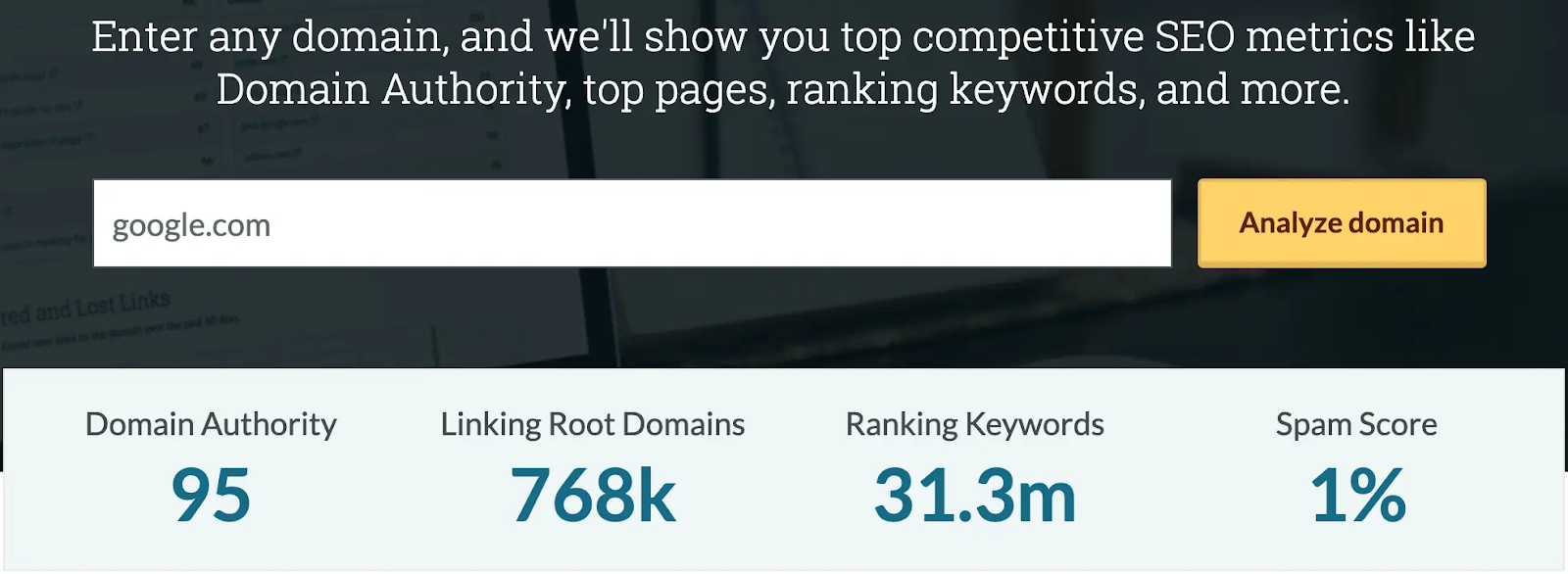
For example, here is our own Domain Authority:
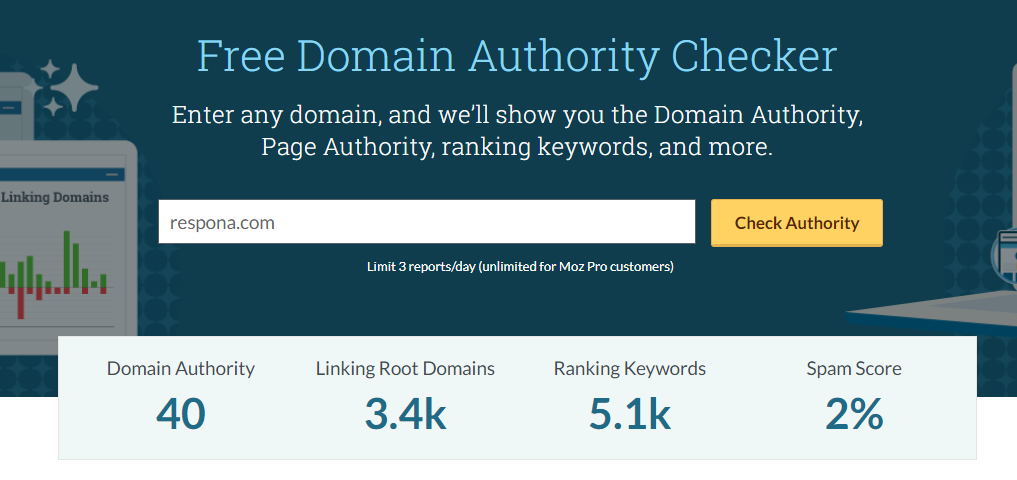
And this is the authority of one of our competitors, Hunter:

This means that, on average, Hunter is more likely to show up higher in search results than us for the “money” keywords such as “email finder”:

However, with some smart long-tail keyword choices and proper SEO optimization, we can still outrank Hunter for certain queries:

So, after all, what is a good Domain Authority score?
One that is higher than that of your competitors.
So instead of asking what a universally good domain authority score is, ask whether your score is strong enough to compete for the keywords that matter to your business.
How to Check Domain Authority?
Since Domain Authority is Moz’s proprietary metric, you would need access to one of Moz’s paid plans for unlimited reports.
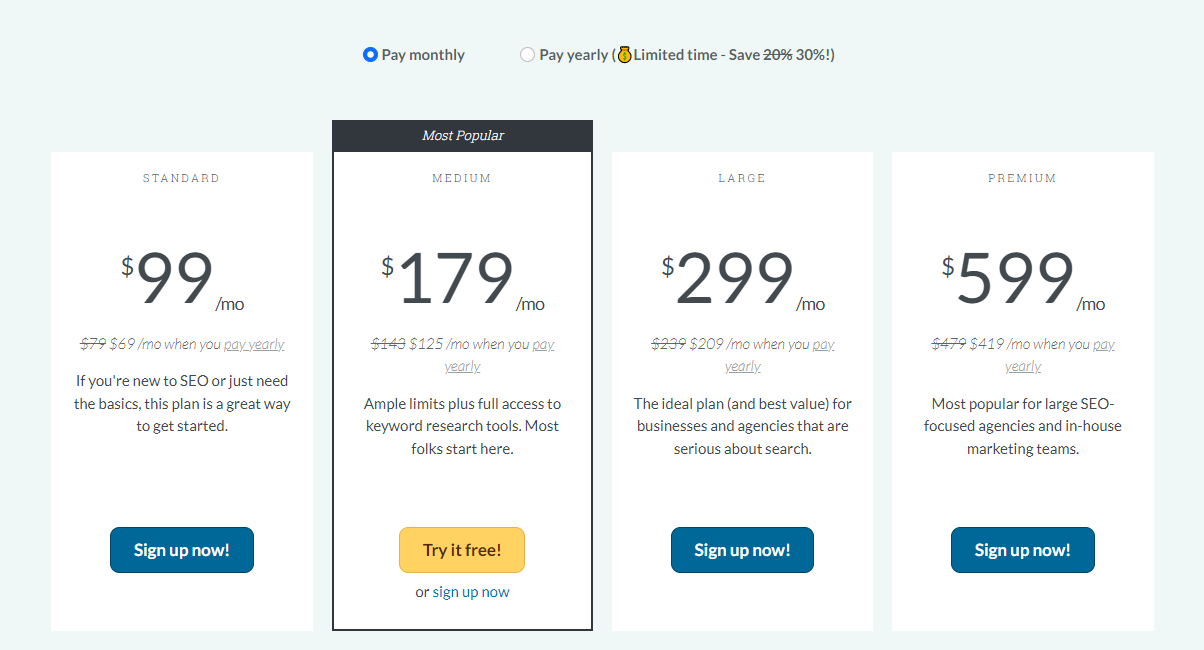
However, Moz also offers up to 3 free daily checks with their Domain Analysis tools.
Alternatively, there are several free third-party tools like Website SEO Checker that allow you to run DA searches as well (even in bulk).
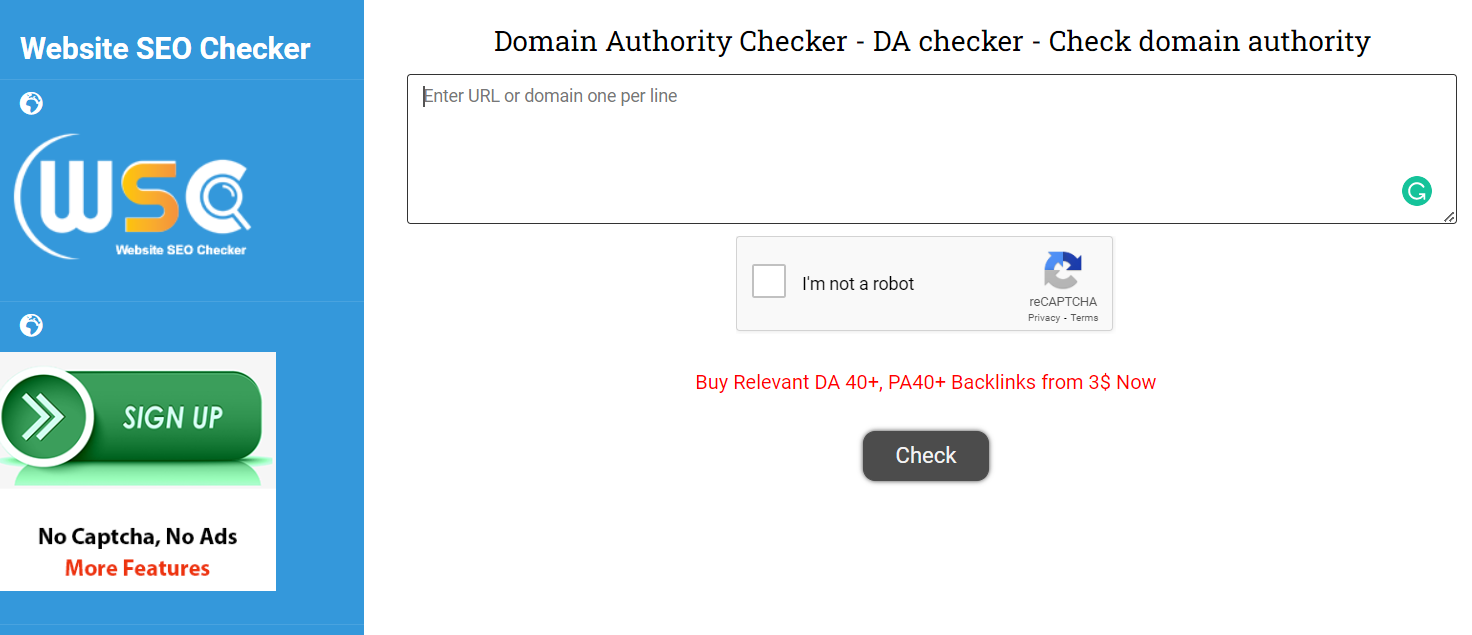
However if result accuracy is of the essence (which it should be), we recommend using Moz.
Seeing that DA is their creation, after all.
Why Should You Increase Domain Authority?
Improving domain authority matters because it often reflects broader SEO progress. When your authority score rises, it is usually a sign that your content, links, and technical foundation are moving in the right direction.
Let’s take a closer look.
Higher Rankings
While Domain Authority itself does not control rankings, the factors behind it often influence how well your site performs in search engines.
Stronger backlinks, stronger content, and stronger technical SEO all contribute to better visibility in Google SERP results.
So, was Moz able to achieve it?
While we were not able to find easily-digestibly research on the correlation between Domain Authority and Google SERP rankings, there is a very similar study done by Backlinko on Ahrefs’ counterpart, Domain Rating and rankings.

As you can see, domains with a higher DR score are more likely to rank in the top spots of Google search results.
And seeing that DR and DA use a lot of the same metrics to come up with the score, we can only conclude that higher Domain Authority also has a similar effect.
In addition to helping you outrank your competition, having a higher DA than your competitors will also make it more difficult for them to outperform you until they are able to improve their own score to a comparable level.
That is why a site with high domain authority often has an easier time competing in search results, especially for tougher keywords.
More Traffic
Higher rankings naturally translate into more organic traffic coming your way straight from search results.
In fact, the number 1 search result gets over 27% of all traffic for any given query, while the second and third get about 15% and 11%, respectively.

This means that over half of total clicks go to one of the first three results.
Besides organic traffic, a high DA can also help you generate referral traffic.
Referral traffic is the clicks that come to your website through high quality backlinks on other resources.
If you are seen as knowledgeable, trustworthy, and authoritative within your niche, other people are much more likely to link to you, directing some referral traffic to your page as well as PageRank.
That traffic can come from both search engines and authoritative websites linking to you. When your backlink profile improves, you are not only building authority, you are also creating more opportunities for referral traffic.
Brand Recognition
All of this has a snowball effect of sorts.
The higher you rank on search engines, the more people are going to see your website and click on your links, the more likely you are to stand out in their memory.
This is one of the underrated benefits of increasing domain authority. As your domain shows up more often in search results, your brand becomes more familiar to potential customers and readers.
Improved Conversions
Once people have noticed and acknowledged your trustworthiness within your niche, it will become much easier to convert them into paying customers – especially if your product/service has a strong value proposition.
So, to sum it up, a higher Domain Authority helps you to:
- Rank higher in search engines
- Generate organic and referral traffic
- Establish trustworthiness and improve brand recognition
- Improve your conversion rates
So, is it worth your time? You decide.
Now, let’s take a look at some specific strategies for boosting your Domain Authority.
How to Increase Domain Authority?
Since a strong backlink profile is one of the biggest contributing factors to a website’s Domain Authority score, link building is the first tactic on our list.
Link Building
The process we just described works, but it’s also the reason most teams struggle with link building.
It’s time-consuming, repetitive, and hard to scale. You need to find opportunities, vet them, locate the right contacts, write personalized emails, follow up consistently, and hope something sticks.
And even if you do all of that right, results are never guaranteed.
That’s why most companies eventually move away from doing outreach manually.
Instead, they focus on outcomes.
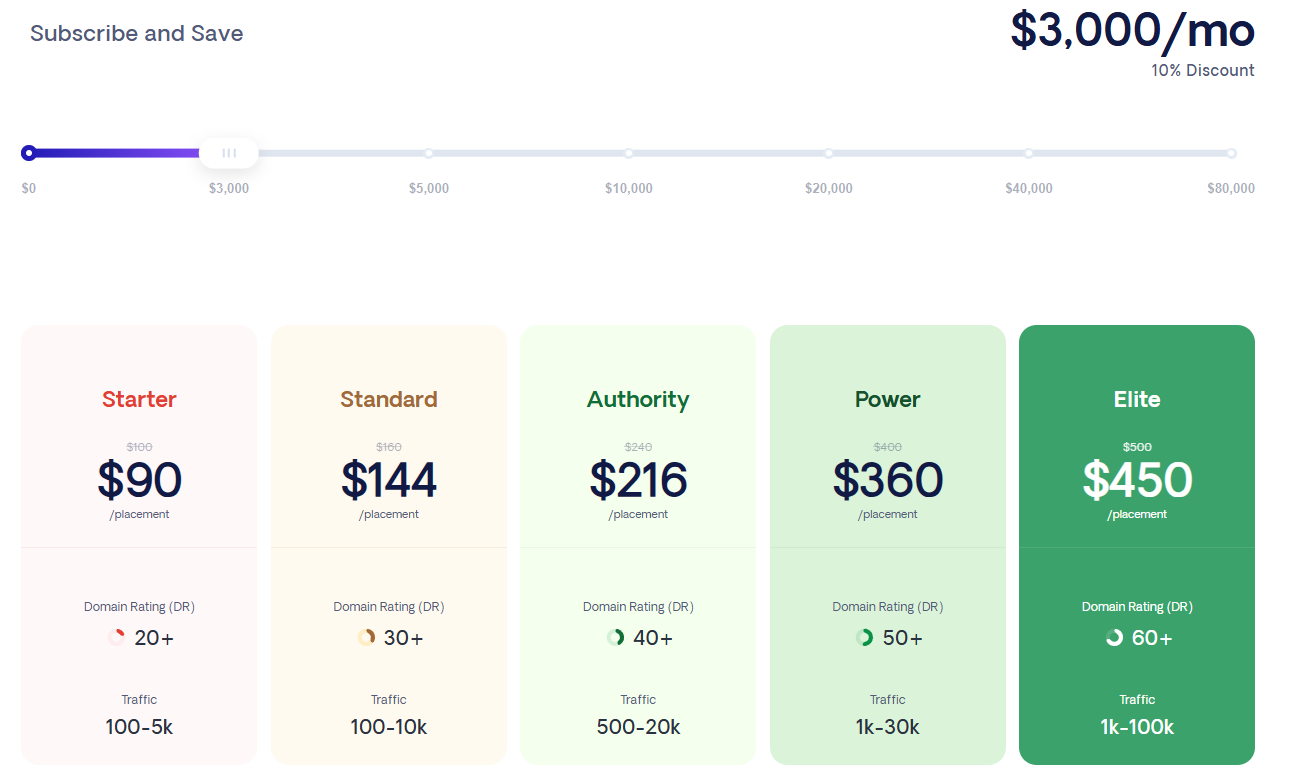
That’s exactly what our done-for-you link building is built for.
We handle the entire process for you:
- prospecting relevant websites in your niche
- identifying the right people to contact
- running personalized outreach campaigns
- securing placements on pages that actually have authority and traffic
The goal is not just to get backlinks. It’s to get placed on pages that influence rankings, referral traffic, and visibility.
Because link building has changed.
It’s no longer just about improving your domain authority score. It’s also about where your brand shows up across the web.
A lot of AI tools now generate answers by pulling from third-party sources like blog posts, listicles, and resource pages. If your site consistently appears in those sources, your chances of being included in AI responses increase.
That’s where our Campaigns feature comes in.
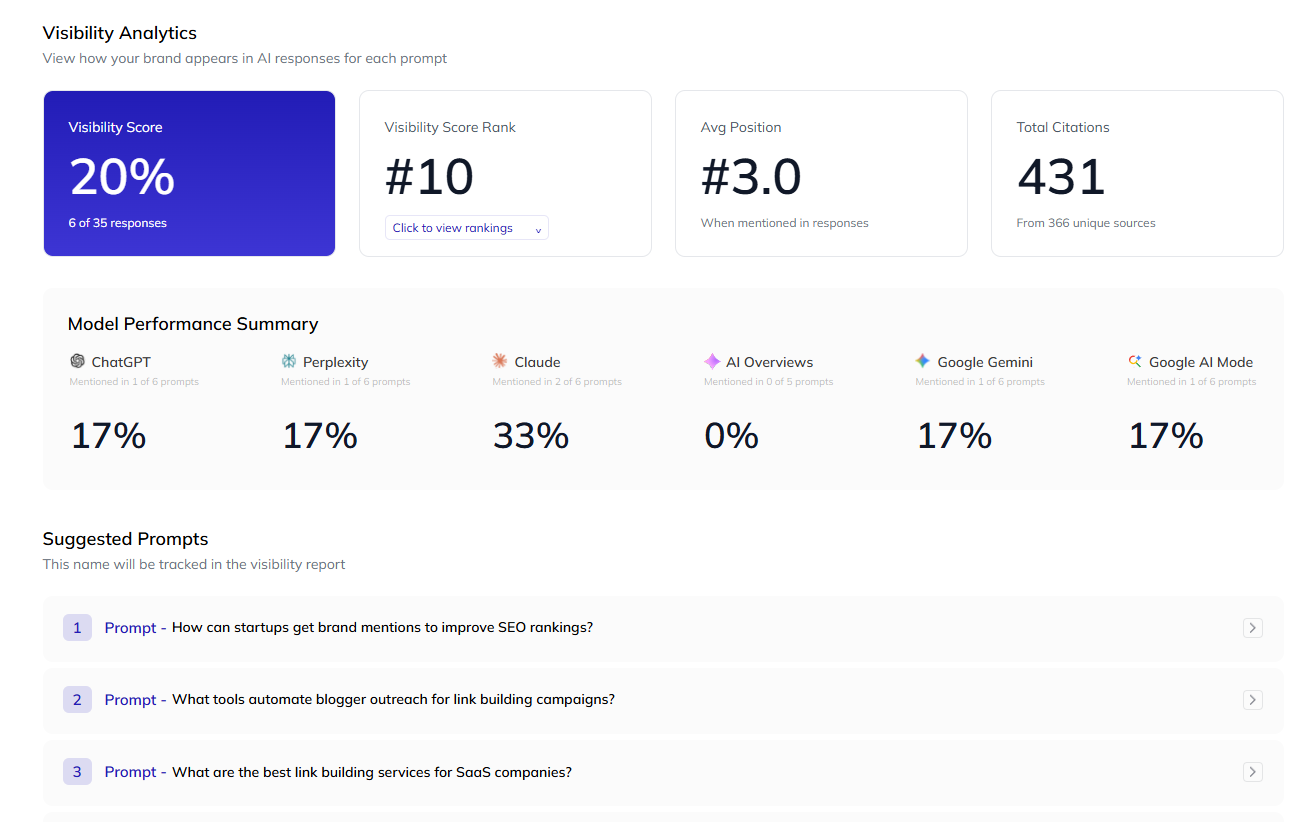
It helps you track your visibility across AI platforms and understand:
- where your brand is already being mentioned
- which sources are getting cited in AI-generated answers
- where you’re missing coverage compared to competitors
From there, we turn that data into a clear link building plan.
Instead of guessing where to build links, you focus on the exact types of pages that influence both search results and AI visibility.
Publish High Quality Content
Content is the backbone of any website, regardless of its niche.
And yes, even eCommerce websites can benefit from having a robust blog that covers a wide range of topics.
Content quality plays a huge role in increasing domain authority because strong content earns links, supports internal linking, and helps your site build topical authority over time.
Everyone keeps saying that you need good content to stand out. But what does it actually mean?
The specifics of creating a top-notch article will vary greatly from niche to niche, from topic to topic.
Still, one principle stays the same: quality content should satisfy search intent, help the reader quickly, and be strong enough to compete in search results.
So, we won’t focus on the actual writing part as there’s no be-all-end-all answer to this question, besides trying to be as helpful, informative, and to the point as possible for your readers.
What we will focus on, however, is another important aspect of creating content – which is keyword research and optimization.
These terms refer to the process of identifying valuable keywords within your niche, and implementing them throughout your content in a way that maximizes your chances of ranking for these keywords.
Keyword research helps you find realistic opportunities, but content quality is what gives those opportunities a chance to perform. Strong content supported by the right keywords is much more effective than keyword-heavy pages with weak substance.
There are two types of keywords: short-tail, and long-tail.
The difference between them is simple: short-tail keyphrases consist of up to three words, and typically yield a great monthly search volume. They are also broad.
An example of a short-tail keyword would be “SEO”.
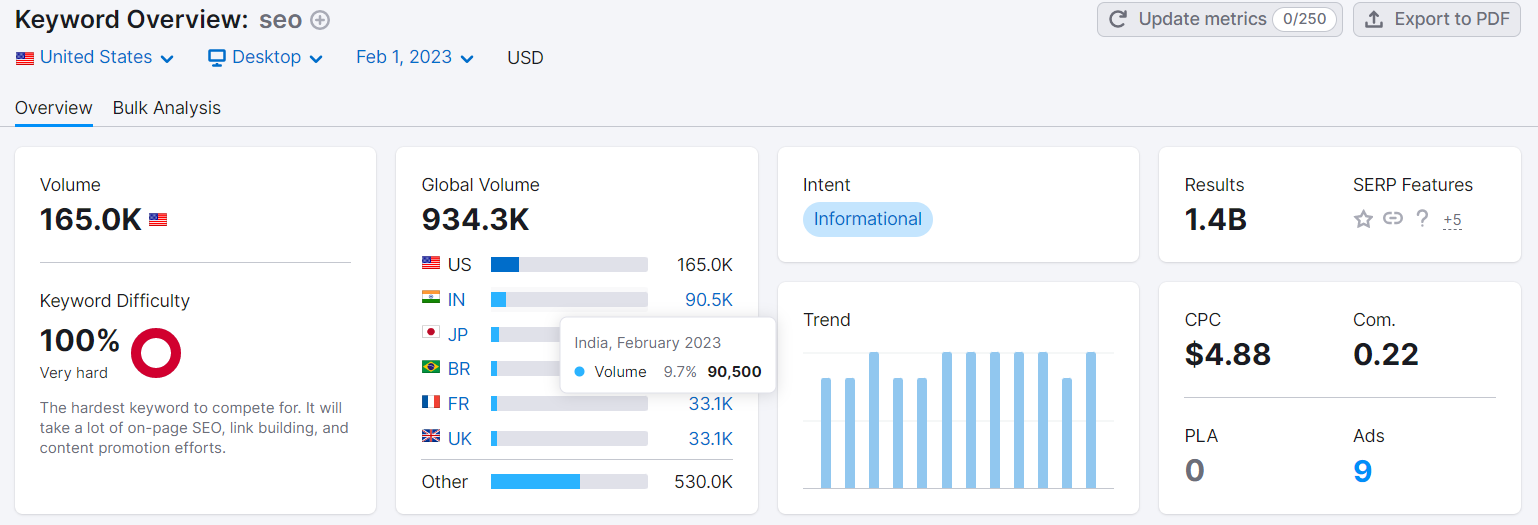
Long-tail keywords, on the other hand, consist of over three words, are much more niche-specific, and yield significantly less monthly search volume.
An example of a long-tail keyword would be “link building campaign”:
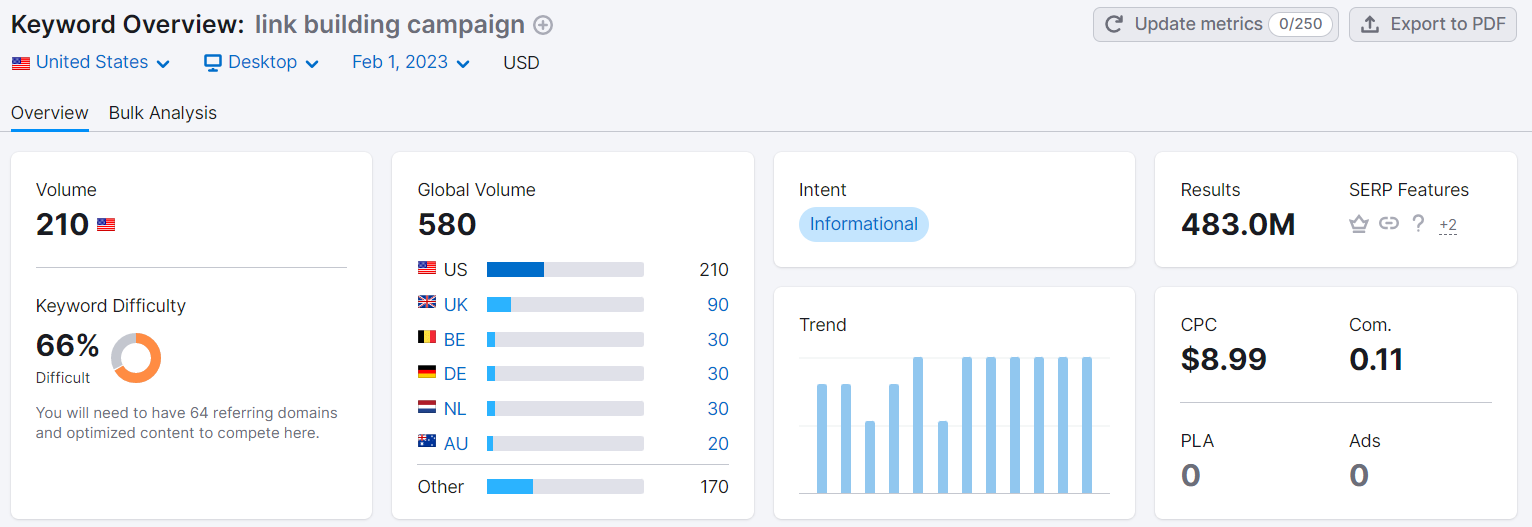
In general, it’s much easier to rank for niche-specific long-tail keywords because they are not nearly as competitive as short-tail ones.
However, another thing to consider when planning out your keyword strategy is search intent.
There are four types of search intent:
- Informational (when a user is looking to learn)
- Navigational (when a user is looking for a specific page on your site)
- Commercial (when a user is interested in your product/service)
- Transactional (when a user is ready to make a purchase)
For every type of search intent, different types of content works best.
For example, blog posts are the best for targeting informational keywords, case studies and reviews are great for commercial keywords, and, of course, service, product, and pricing pages are the natural pick for transactional keywords.
Each type of search intent has search modifiers such as “what is”, “buy”, “pricing”, “location”, and so on, so identifying intent behind certain keywords is simple.
For finding and analyzing keywords, you can use any SEO software with keyword tracking functionality, such as Semrush or Ahrefs.
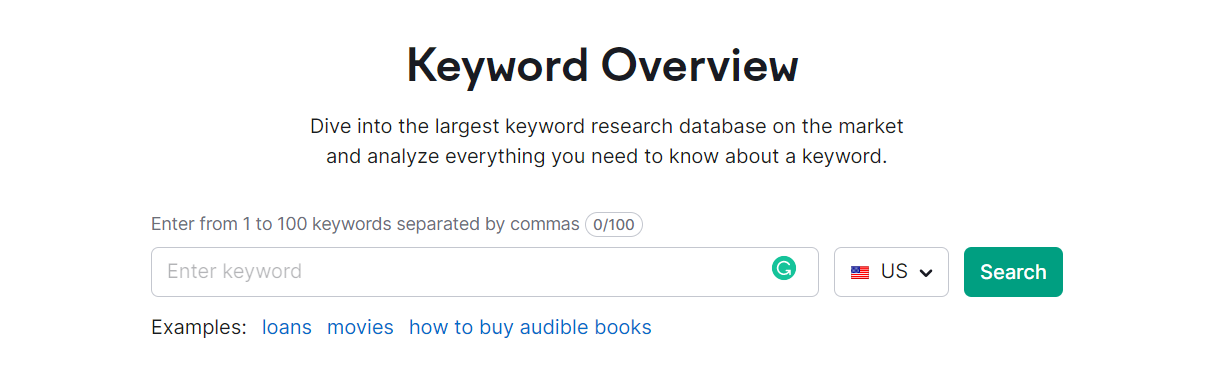
Your ideal target keywords should have a low difficulty score, but high search volume.
However, a healthy keyword profile consists of both long and short-tail keywords for all search intents.
Once you have identified target keywords and created content for them, there is one more step you need to undertake before publishing.
This is keyword optimization (not to be confused with keyword stuffing).
Just slapping your target keyword in the title tag and meta description of your article as well as mentioning it a few times in the content is not enough.
Besides your main target keyword, there are many supporting, relevant keywords that need to be included alongside it in a natural manner.
It’s hard to keep track of all of them manually, so it’s recommended to use a keyword optimization tool like MarketMuse to streamline the process.
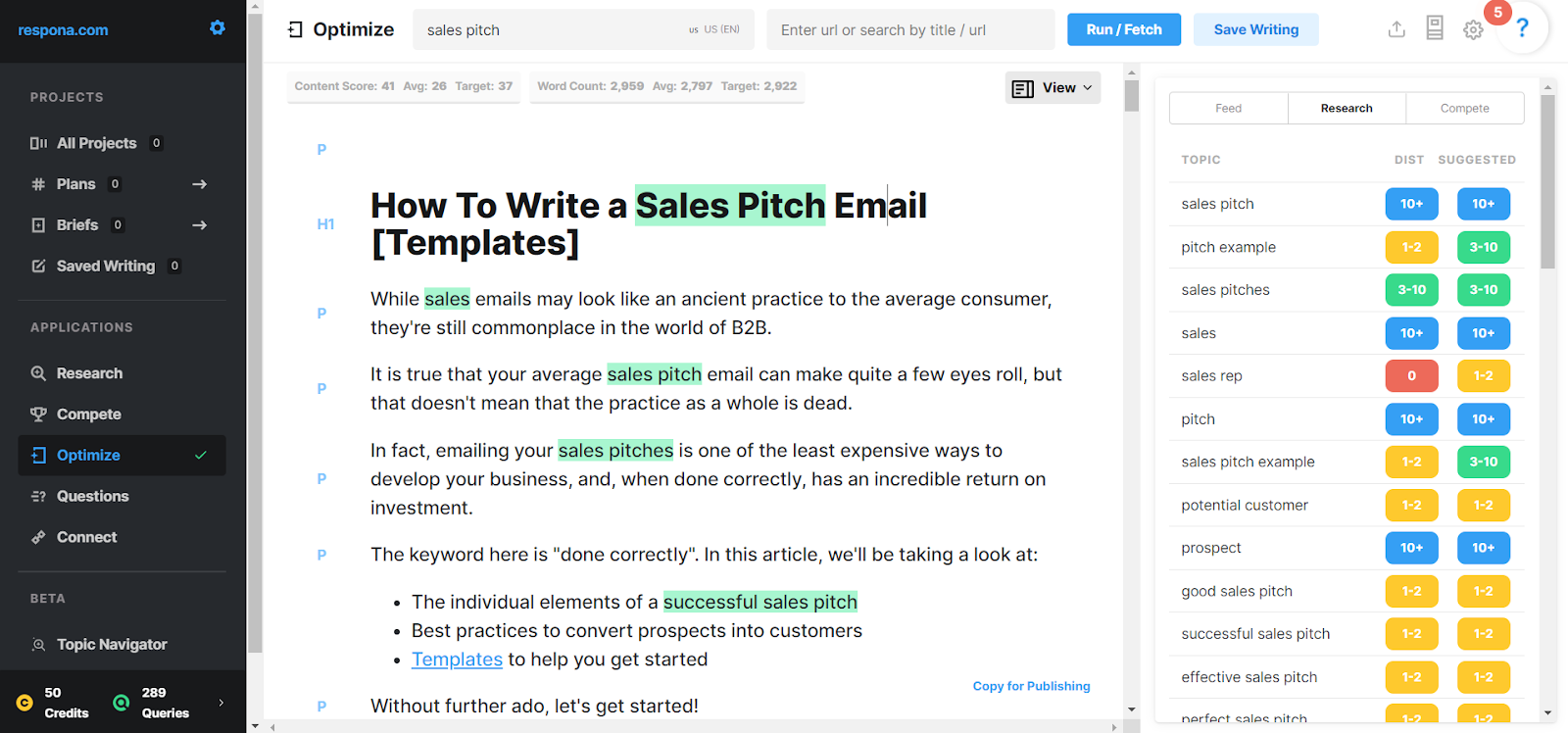
Based on the top 10 results for your target keyword, it suggests exactly which of its variations (as well as other relevant keywords) need to be mentioned, and how many times to achieve similar results.
The goal here is not to force keywords in, but to improve coverage, clarity, and content quality in a natural way.
Build Internal Links
Internal links are important for two reasons.
The first is that they allow for seamless navigation both for users and search engines. This, in turn, helps Google crawl and index your pages in a timely manner.
The second is that internal links also pass on PageRank, or “link juice” within the realm of your domain.
This is why internal linking is a core part of increasing domain authority. Strong internal links help search engines understand which pages matter most and how your content is connected.
So, if you have old content that already performs well on search engines, you can link from it to your more recent pieces to boost their rankings as well as increase your website Domain Authority.
To optimize your internal link structure, you should strive for what’s known as a “flat” architecture.
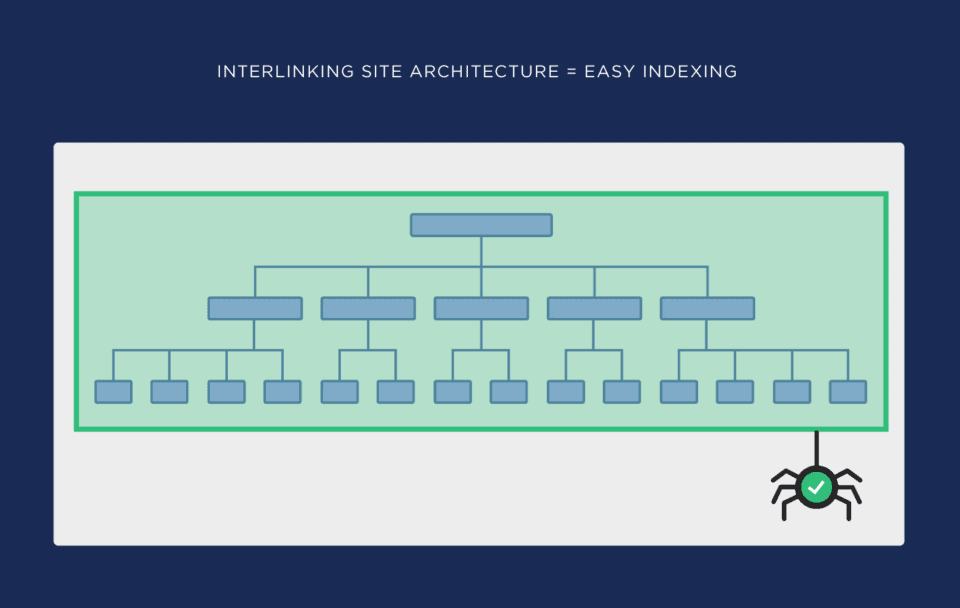
A flat architecture means that all of your website’s pages are reachable in 3 clicks or less.
This is great for user experience and crawlabiltiy, as Google’s crawlers only have a crawl depth of 3.
This simply means that they are only able to follow three links per crawl. Having deeper internal links than that may cause some of your pages to not get crawled and indexed.
And if a page is not in Google’s index, it will not show up in search results.
Which brings us to the next section.
Ensure Crawlability and Indexability
You already know what crawlability and indexability are, and how internal links can help you with them.
But interlinking your pages is far from the only step that you can undertake to ensure your pages are crawled and indexed.
The easiest way to get your page on Google’s index is actually to manually submit it yourself.
Google Search Console should be one of your go-to tools here because it helps you monitor indexing, sitemaps, and crawl-related issues directly from Google’s side.Paste the URL you’d like to index, and request indexing.
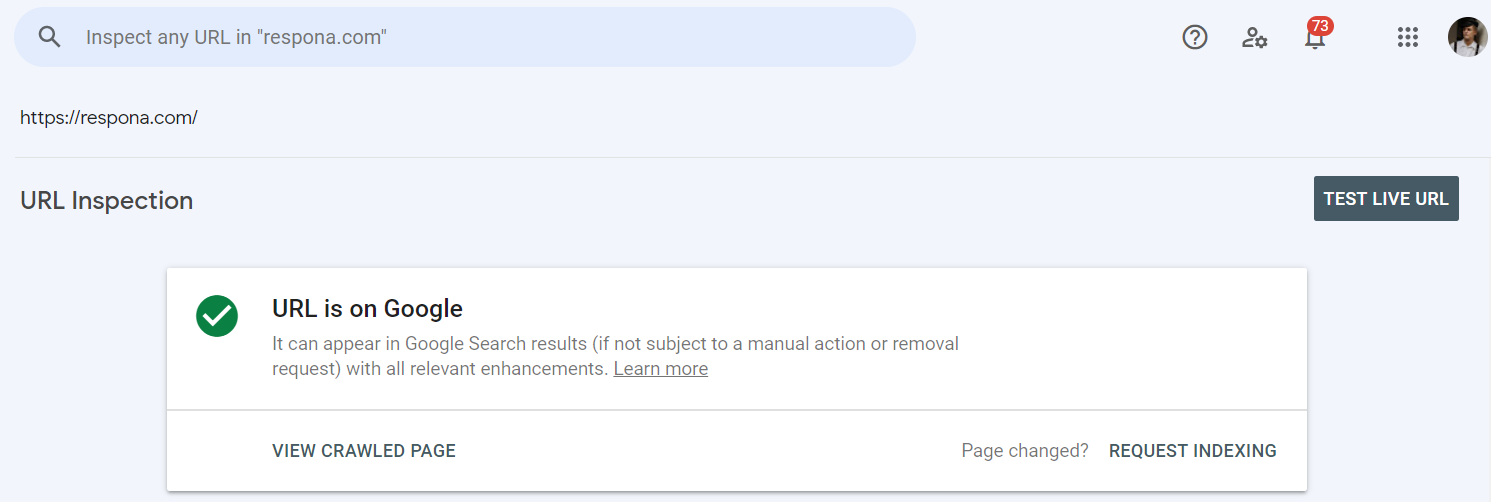
This only works for individual pages, so it’s recommended that you go ahead and manually request indexing for each new page you publish.
If you have a large number of unindexed pages that you would like to get indexed in a short amount of time, it’s best to upload a sitemap.
A sitemap is basically an .XML file that lists all of the pages on your domain.
You can create one manually, or make use of the many free sitemap generators available, such as XML-Sitemaps.com:
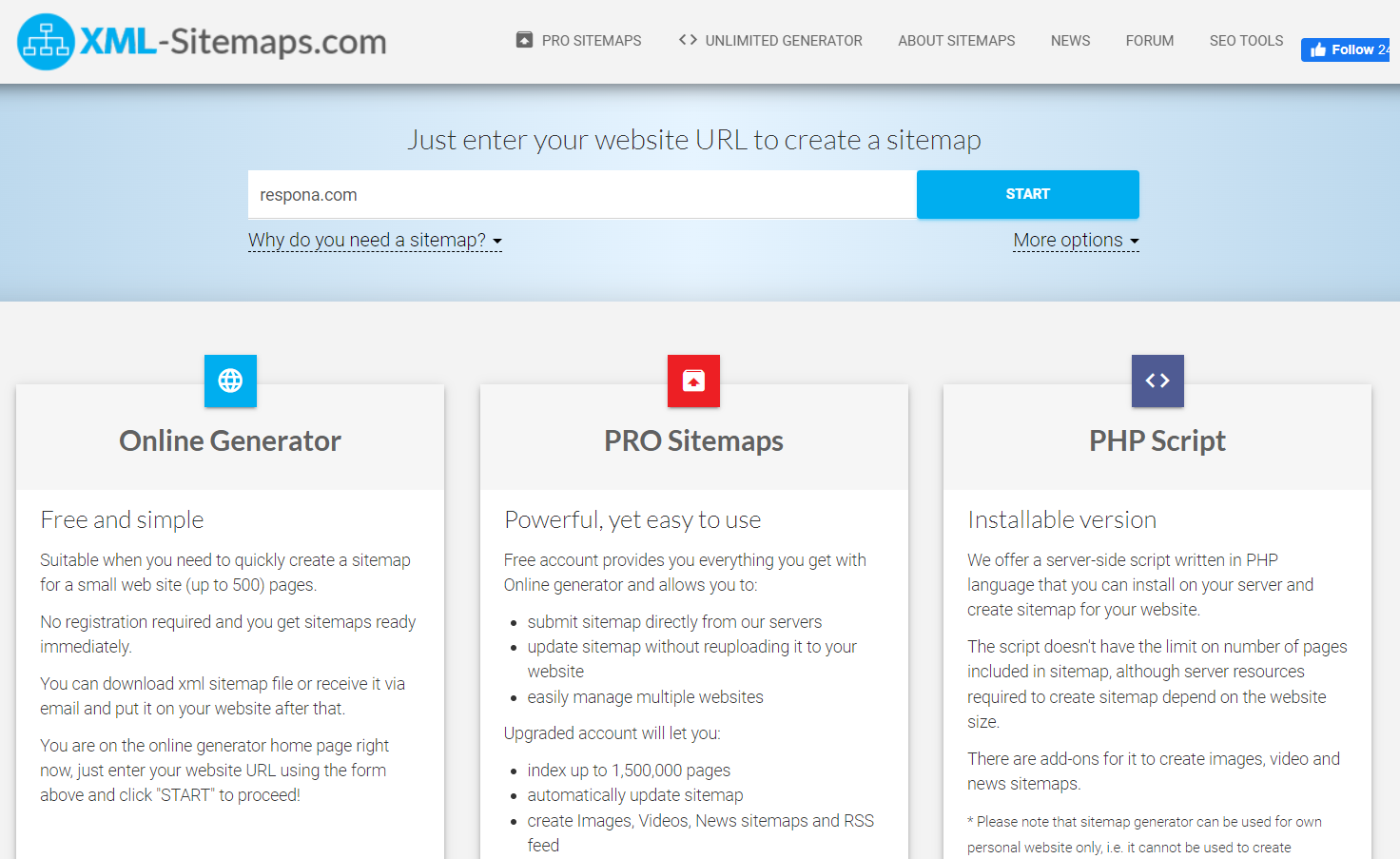
Once your sitemap is complete, you can upload it to your Google Search Console > Sitemaps.
Once final file that we want to discuss in this section is the robots.txt.
This is a file that permits or prohibits crawlers from indexing particular pages.
This is useful, for example, if you have some staging or testing pages on your site that you don’t want publicly available.
Having unfinished or broken pages can have a detrimental effect on your rankings, and, as a result, your Domain Authority.

Creating and uploading a robots.txt file is relatively straightforward. Just follow the steps outlined below.
- Step 1: Create the File
The first step in creating a robots.txt file is to create the file itself. It should be named “robots.txt” and should be located in the root domain directory of your website. This means that it should be in the same folder as your home page.
If you don’t have a text editor, you can use a simple text editor like Notepad or TextEdit. When you create the file, make sure it is saved as a plain text file.
- Step 2: Add Your Instructions
Once you have created your robots.txt file, you can add instructions for the web robots. These instructions are written in a specific syntax that is easy to understand.
The most common instructions are “Allow” and “Disallow”. The Allow instruction tells robots which pages to index, while the Disallow instruction tells robots which pages should not be indexed.
For example, if you wanted robots to index all of the pages on your website except for the “contact” page, you could use the following instructions:
Allow: /
Disallow: /contact
This tells robots to index all pages on the website, but to not index the contact page.
You can also use the “Crawl-delay” instruction to control how often robots crawl your website. This is useful for websites that get a lot of traffic, as it can help prevent the server from being overloaded.
- Step 3: Upload the File
Once you have added your instructions to the robots.txt file, you can upload it to your website.
There are two main ways to upload the file:
1. FTP: You can use an FTP program to connect to your website and upload the file.
2. cPanel: If your website is hosted on a cPanel platform, you can upload the file using the File Manager.
Once the file is uploaded, you should be able to view it in your web browser by visiting your website’s root directory (e.g. http://www.example.com/robots.txt).
Run Regular Link Audits
We’re referring to both internal and external links audits, referring domain as well as backlink audits.
Regular audits help you understand whether your backlink profile is actually helping your authority score or holding it back. They also help you spot lost backlinks, weak referring domains, and internal issues before they become bigger problems.
These allow you to spot broken links and remove them, as well as excessive links to low-quality websites.
At the same time, backlink audits help you identify weak spots in your link building strategy and adjust accordingly.
For example, if you have dozens of links to one blog post but only one or two to another, it may be time to switch your link building priorities around to get more of a ranking boost to pages that actually need it.
You can spot all of these issues with any SEO tool that features quality backlink auditing capabilities (once again, such as Semrush or Ahrefs).

Semrush, for example, has a very useful toxicity score metric for backlink profiles.
It’s also great at spotting a bad link and even potential PBNs so that you can disavow these links to prevent them from hurting your SEO.
How do you know if your backlink profile is healthy?
Your number of new links should always outweigh that of lost ones, and they should be coming from relevant domains.
Semrush also has an internal link monitor which you can access through Site Audit > Internal Linking.

This report provides you with extensive details on your crawl depth, specific warnings and errors, as well as important notices regarding your internal link profile.
We recommend running quality link audits at least bi-annually.
A strong backlink profile is not just about volume. It is about relevance, consistency, and the quality of the domains linking to you.
Optimize Core Web Vitals
Core Web Vitals, or page speed, are one of the most important ranking factors in 2026.
Page experience matters because user experience is now tightly connected to SEO performance. A slow, clunky site makes it harder to hold rankings, convert visitors, and build trust.
This especially goes for mobile optimization since Google switched to mobile-first indexing.
Even if your desktop version is flawless but your mobile is lacking, you may struggle to secure high spots on search results.
Creating a well-performing website comes with a gargantuan amount of work, with hundreds of little things that can go wrong.
Luckily, tracking these issues isn’t as difficult.
In fact, all you need for it is Google’s free tool, creatively named PageSpeed Insights.
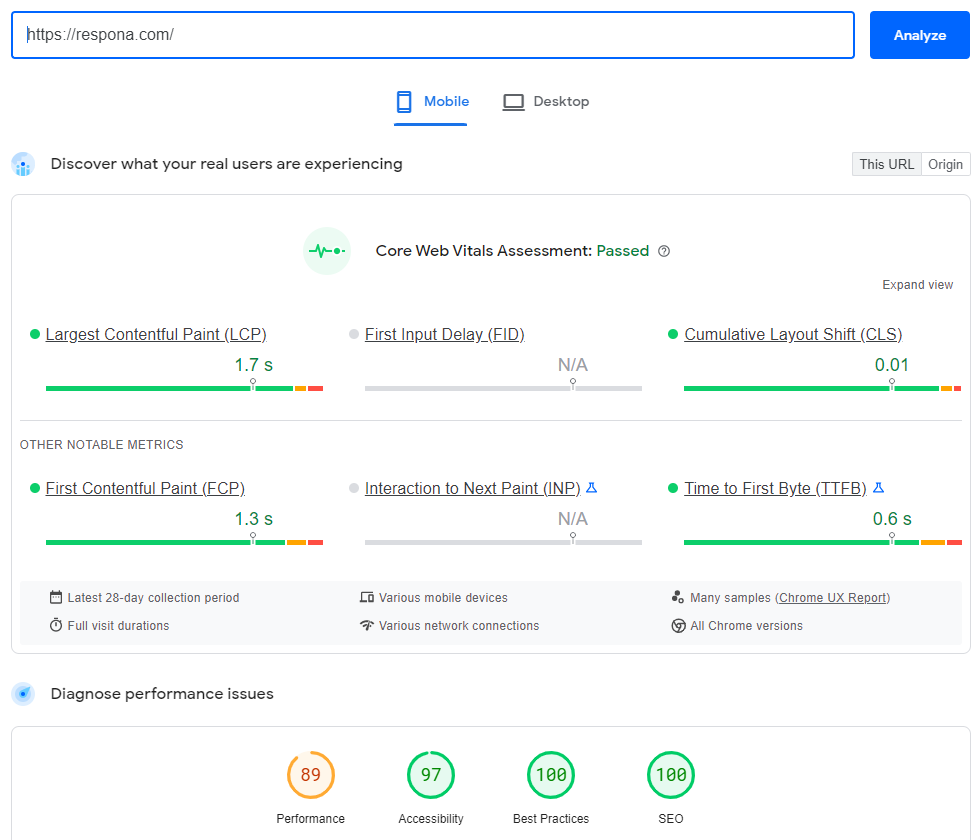
It tracks your website’s performance both on desktop and mobile, and is able to diagnose its performance issues on the fly.
It doesn’t just give you a performance score – it points out specific issues which you can then discuss with your developer and SEO teams and solve.
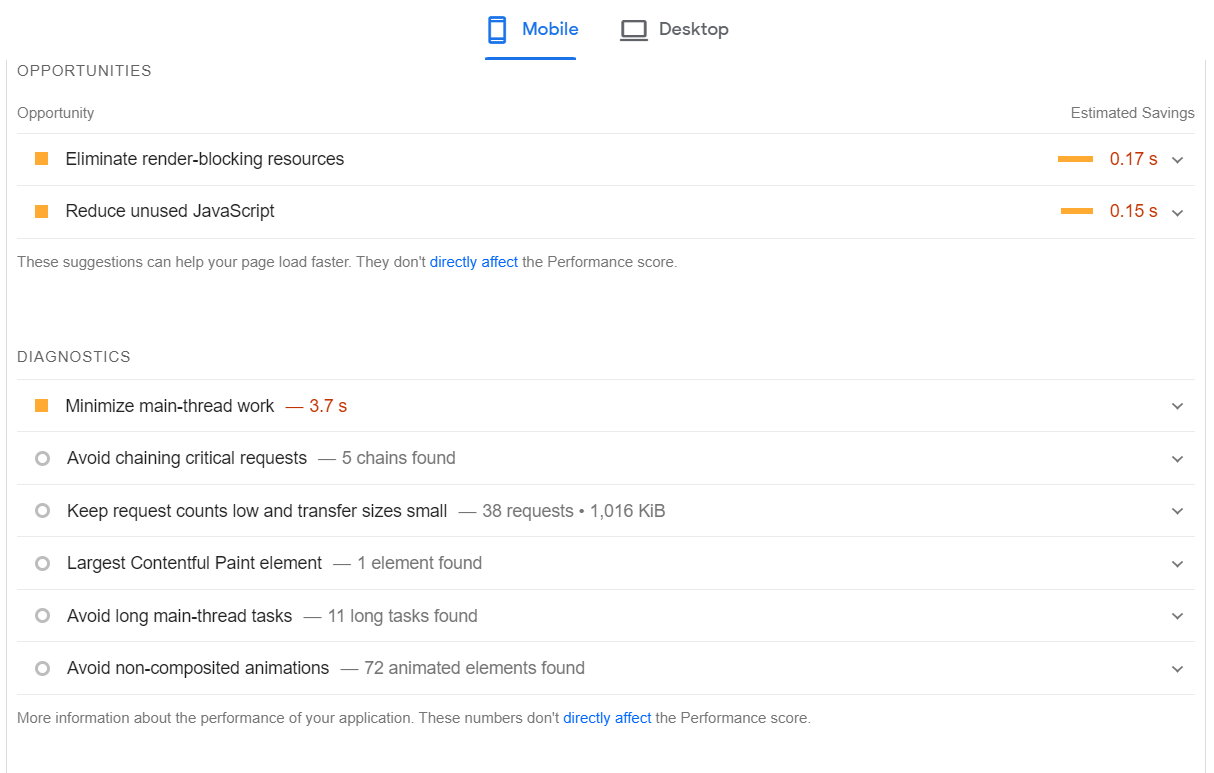
A perfect score isn’t always achievable (especially for larger resources), but you should always do your best to at least stay in the “green” zone.
This is one of the clearest technical SEO areas you can improve without guessing. Better speed, better stability, and better usability all support stronger performance over time.
Get Social Signals
Social media may not influence rankings in a direct way, but it can still support visibility, link earning, and content discovery. The more your content gets seen and shared, the more chances it has to attract backlinks and mentions.

If you don’t already have social widgets embedded in to your page that let people quickly like and repost your content, you should get them as soon as possible.
You should also invest into social media marketing campaigns in order to maximize your exposure on all platforms, and generate as many social signals as you can.
That is why social media can still support increasing domain authority indirectly, especially when it helps high quality content reach a larger audience.
Link building cheat sheet
Now Over To You
Hopefully this guide gave you a clearer picture of how to increase domain authority in a way that actually matters.
At the end of the day, increasing domain authority is not about chasing a number for its own sake.
It is about building a stronger site: one with better content, better links, better internal linking, stronger technical SEO, and a better experience for users.
Out of all those levers, link building is still one of the most powerful.
If you want to grow your authority score with high quality backlinks from relevant websites, our team can help.
Our done-for-you link building helps brands strengthen their backlink profile through personalized outreach, relationship-driven prospecting, digital PR, and strategic content promotion.
Instead of handling prospecting, pitching, follow-ups, and link acquisition in-house, you can rely on our team to build links that support long-term SEO growth and stronger website authority.
Frequently Asked Questions (FAQ)
What factors affect Domain Authority?
Domain Authority is calculated based on hundreds of factors, but the most important are your backlink profile, content, site speed, social signals, and actual rankings for keywords.
What should I do to increase Domain Authority?
Everything that you would normally do to rank on search engines: build links, publish amazing content, and cover all aspects of search engine optimization: on-page, off-page, and technical SEO.
Does Domain Authority affect rankings?
Domain Authority does not affect rankings, but rankings affect Domain Authority.
Is Domain Authority more accurate than Domain Rating?
Domain Authority takes into account more factors than Domain Rating, which mostly revolves around a site’s backlink profile. However, neither is more accurate than the other since they’re comparative metrics rather than absolute.
Does Google use Domain Authority?
Google does not use Domain Authority in any way as it’s the proprietary metric developed by Moz.